

Партнерка на США и Канаду по недвижимости, выплаты в крипто
- 30% recurring commission
- Выплаты в USDT
- Вывод каждую неделю
- Комиссия до 5 лет за каждого referral
Slide 3 - Oracle Financials Cloud Release 11
Slide notes
Hello. My name is Alison. Welcome to training for Release 11. In this session we will talk about enhancement to Oracle Financials Cloud Release 11 Cash Management: Bank Transfers and Ad Hoc Payments
Notes
Slide 4 - Agenda
Slide notes
For the enhancements covered in this training, we’ll give an overview, followed by more detail to explain how you can use them, and what business value they bring.
Then we’ll walk you through a demonstration.
Next we’ll explain what you need to consider before enabling these features in your business, and what you need to know to set them up.
Notes
Slide 5 - Enhancements Overview
Slide notes
In release 11 we are introducing Bank Transfers and Ad Hoc Payments that can be initiated directly inside the Cash Management application—without the need for creation of suppliers or invoices. Bank transfers and ad hoc Payments within Cash Management are fully governed by approval rules, and processed via Oracle Payments to ensure security and reliability.
Notes
Slide 6 - Bank Transfers
Slide notes
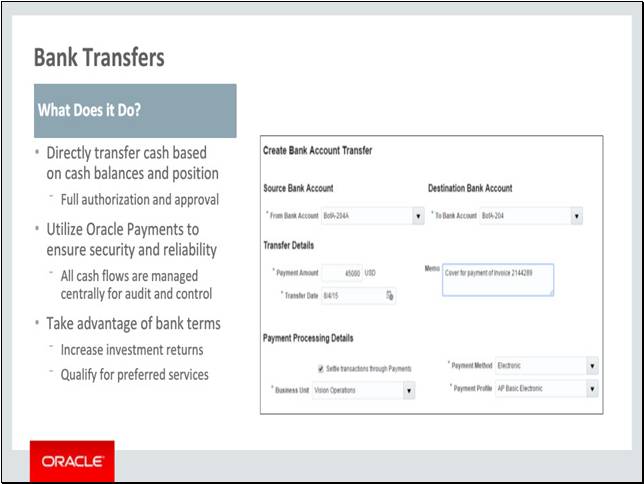
New Bank Transfers function enable users to directly transfer cash from their cash balances and cash position utilizing standard Oracle Payments functions, all cash flows can be tracked in a single view for maximum visibility and control.
Notes
Slide 7 - Ad Hoc Payments
Slide notes
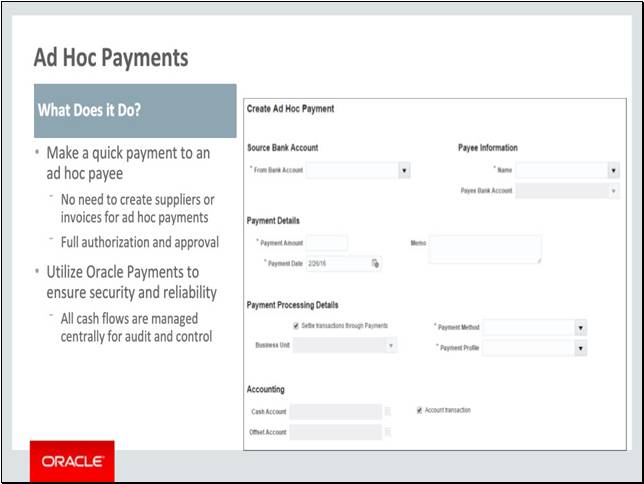
New Ad Hoc Payments functions enable users to make ad hoc payments based on confirmed liquidity utilizing standard Oracle Payments functions, all cash flows can be tracked in a single view for maximum visibility and control.
Notes
Slide 8 - Slide 6
Slide notes
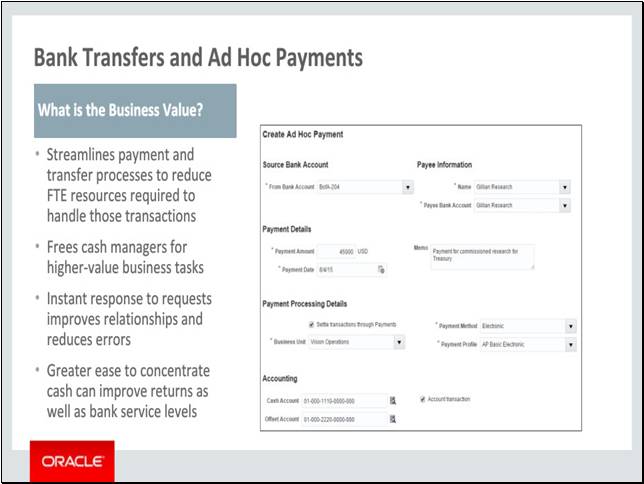
By initiating ad hoc payments at the cash manager’s discretion, and without need for setting up supplier and invoice records in operational financial systems, cash managers can streamline their payment and transfer processes to reduce FTE resources required to handle those business transactions and streamline the process. These resources can then be engaged in higher-value business tasks and analysis to further improve the company’s overall Cash Management operation.
Being able to instantly respond to payment requests improves business relationships and minimizes potential errors due to delays.
By more easily concentrating cash and sweeping underutilized amounts, companies can optimize their investment returns on their working capital. Higher concentrated bank balances can also qualify companies for improved service levels and preferential customer status.
Notes
Slide 108 - Slide 8
Slide notes
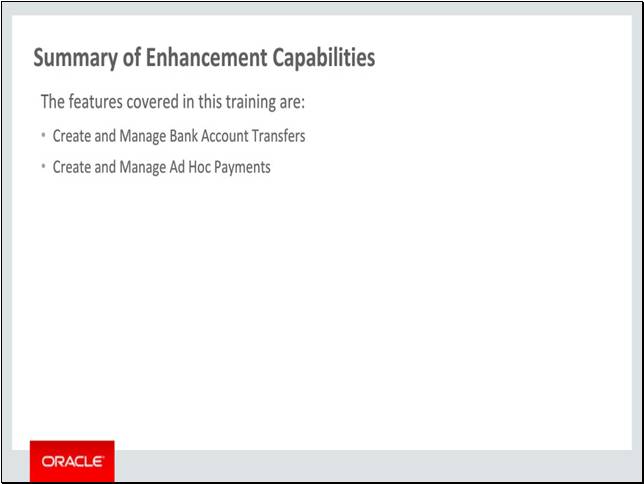
Here is a recap of the features:
• Bank account transfers
• Ad hoc payments
Notes
Slide 109 - Implementation Advice
Slide notes
In this implementation advice section we will go through what you need to consider before enabling these features in your business, and what you need to know to set them up.
Notes
Slide 110 - Slide 10
Slide notes
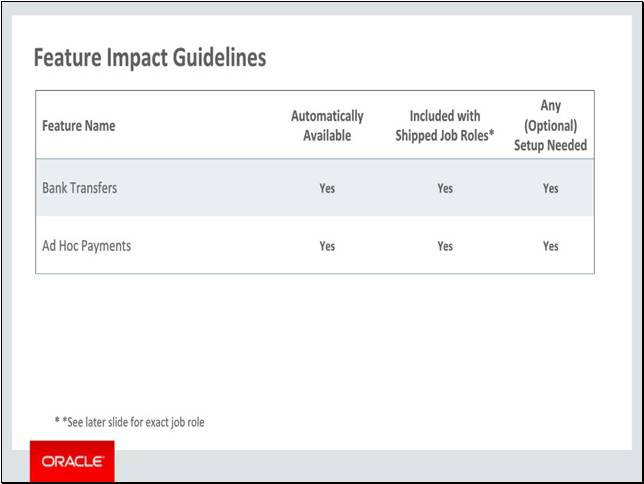
The features covered in this training are automatically available for new implementation and can be accessed through the shipped job role. They both require setup which we will go through next.
Notes
Slide 111 - Setup Summary
Slide notes
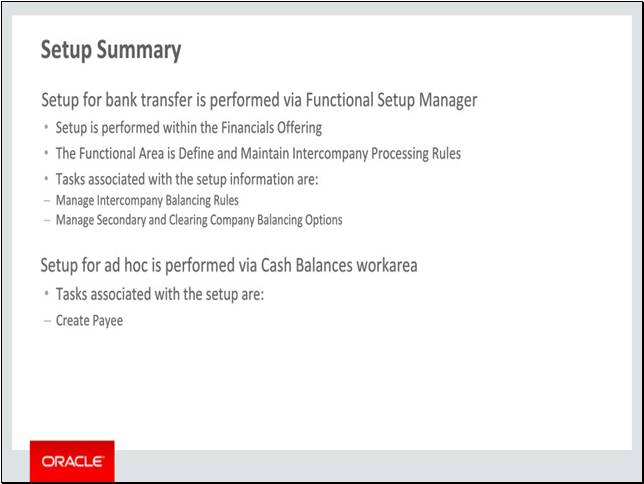
The setup for Bank Transfer is for intercompany accounting and it is achieved by accessing the Manage Intercompany Balancing Rules and Manage Secondary and Clearing Company Balancing Options tasks. This task can be found in the Functional Setup Manager under the Financials offering of the Define and Maintain Intercompany Processing Rules.
The setup for Ad Hoc Payment is for payee information and it is achieved by accessing Cash Balances work area using the navigator. The Manage Payees and Create Payee tasks can be accessed in the Ad Hoc Payment menu drawer.
Notes
Slide 112 - Manage Intercompany Balancing Rules Setup Detail
Slide notes
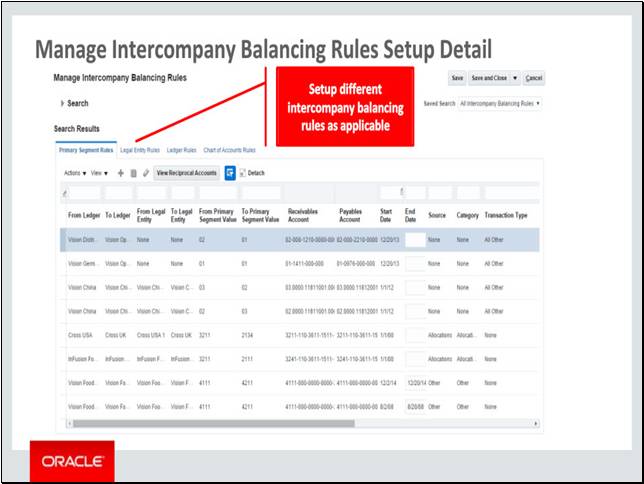
The Manage Intercompany Balancing Rules is an optional setup. This setup allows user to define the default intercompany offset accounts used for bank transfer.
Notes
Slide 113 - Manage Secondary and Clearing Company Balancing Options Setup Detail
Slide notes
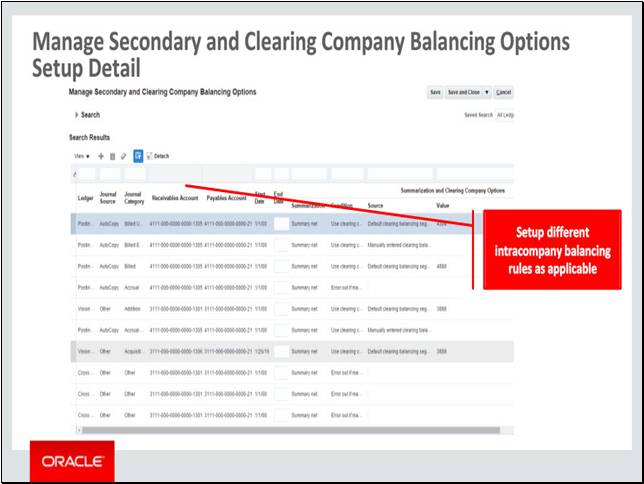
The Manage Secondary and Clearing Company Balancing Options is an optional setup. This setup allows user to define the default intracompany offset accounts used for bank transfer.
Notes
Slide 114 - Create Payee Setup Detail
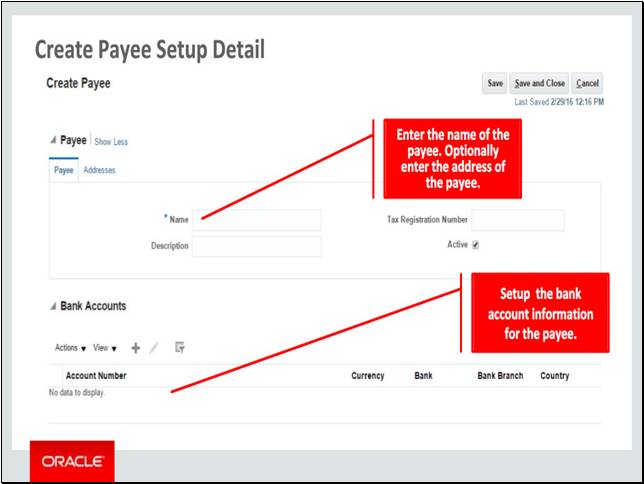
Slide notes
The Create Payee is an optional setup. This setup allows user to define the payee to be used in ad hoc payment.
Notes
Slide 115 - Slide 15
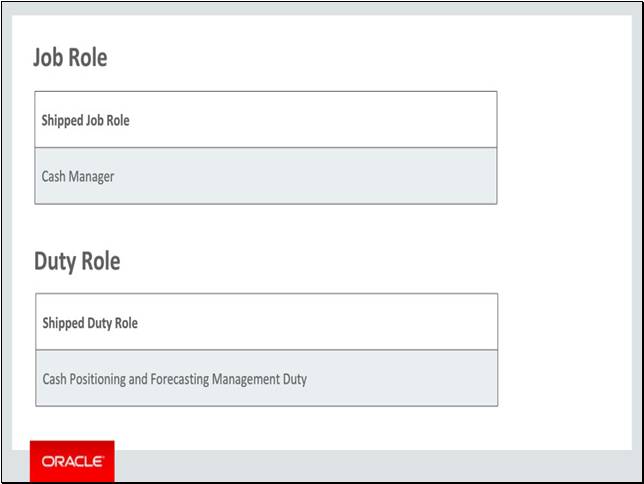
Slide notes
This table details the shipped job role and duty role that will access the new capabilities covered in this training:
• Cash Manager job role
• Cash Positioning and Forecasting Management Duty role
Notes
Slide 116 - Slide 16
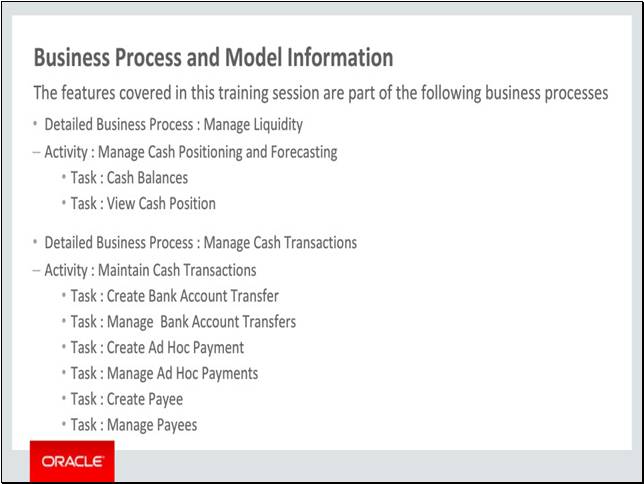
Slide notes
The business processes associated with the new capabilities covered in this training are detailed here.
The high level business process are as follows:
1. Manage Liquidity, with activities Manage Cash Positioning and Forecasting
2. Manage Cash Transactions, with activity Maintain Cash Transactions
Notes
Slide 117 - Slide 17
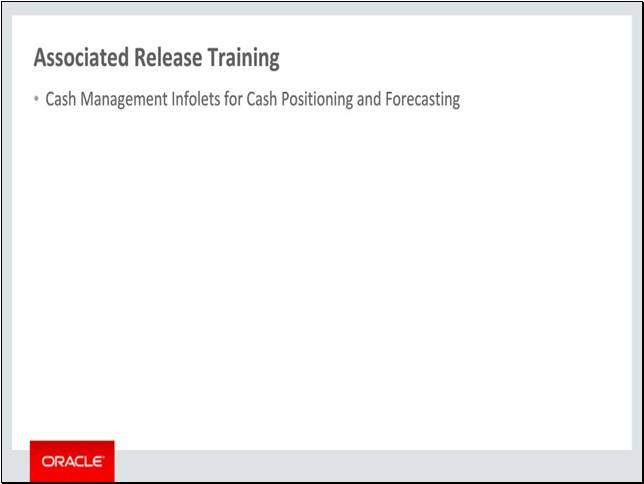
Slide notes
Other training module that is related to these new capabilities and are recommended viewing is Cash Positioning and Forecasting.
This concludes this presentation, thank you for listening. You can easily pause and rewind any of these slides if you require additional time to take in the detail.
Notes
