


Партнерка на США и Канаду по недвижимости, выплаты в крипто
- 30% recurring commission
- Выплаты в USDT
- Вывод каждую неделю
- Комиссия до 5 лет за каждого referral
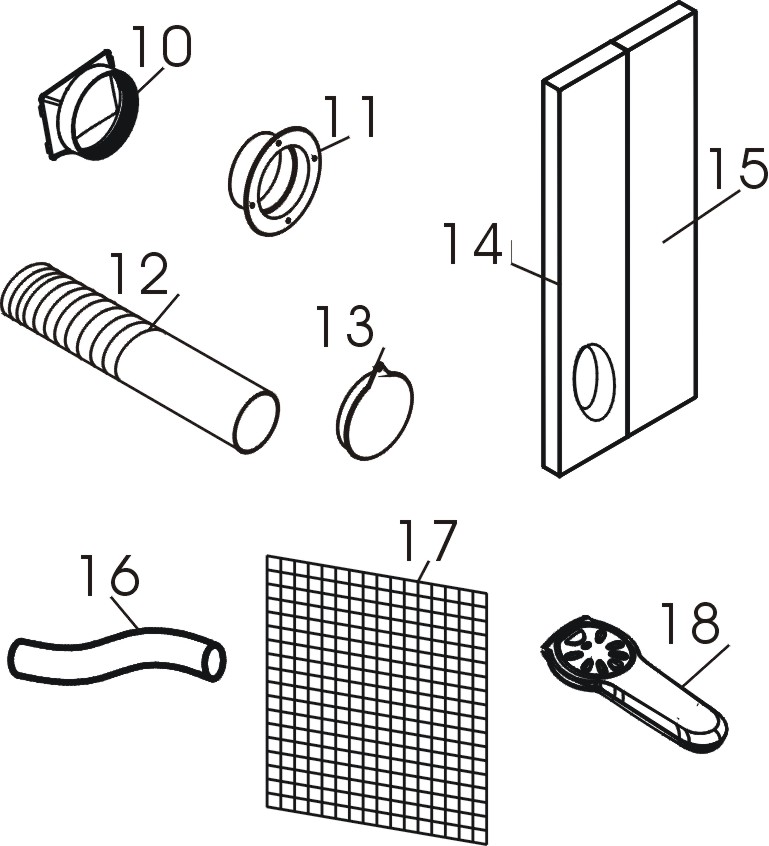
| Inward adaptor – to put on the exhaust hose and fix to the air outlet at the back side of the appliance. Outward adaptor - to put on the exhaust hose and fix into the hole of the foam strip (or into the hole in the wall/window). Exhaust hose Round cap for closing the hole in wall/window. Foam strip - for filling the open window space, with a hole for the exhaust hose. Foam strip - for filling the open window space. Drain tube Active carbon filter Remote control (for the models with electronic control only). |
|
Installation
You have bought one of the products of our company – portable air conditioner. The unit may be moved from room to room to maintain a desirable temperature. The installation is very easy. Follow the instructions to install the unit near the window.
Using the foam strips
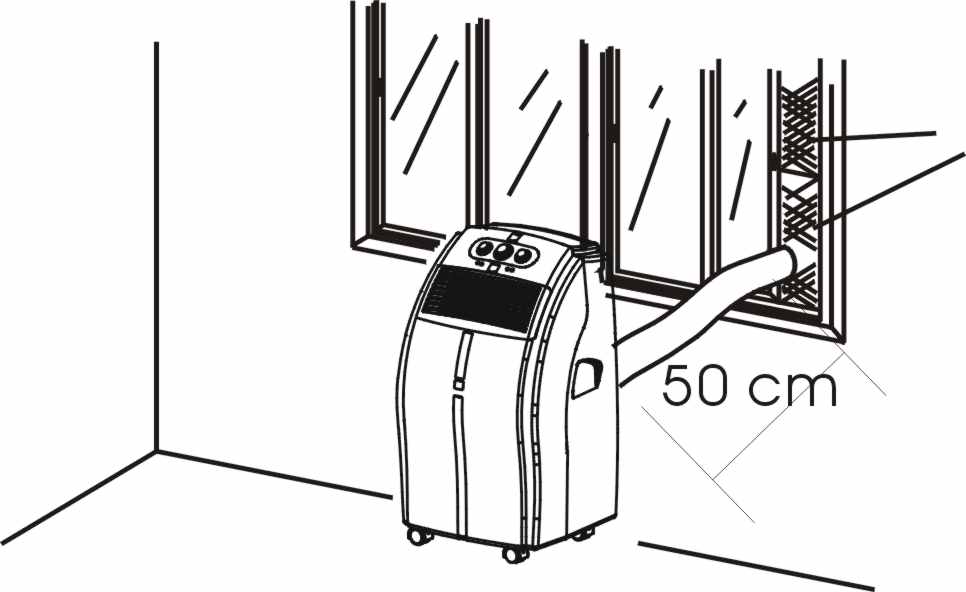
- Fix the foam strips into the window and cut to size if necessary. Insert the exhaust hose into the hole of the foam strip.
Using the adaptor
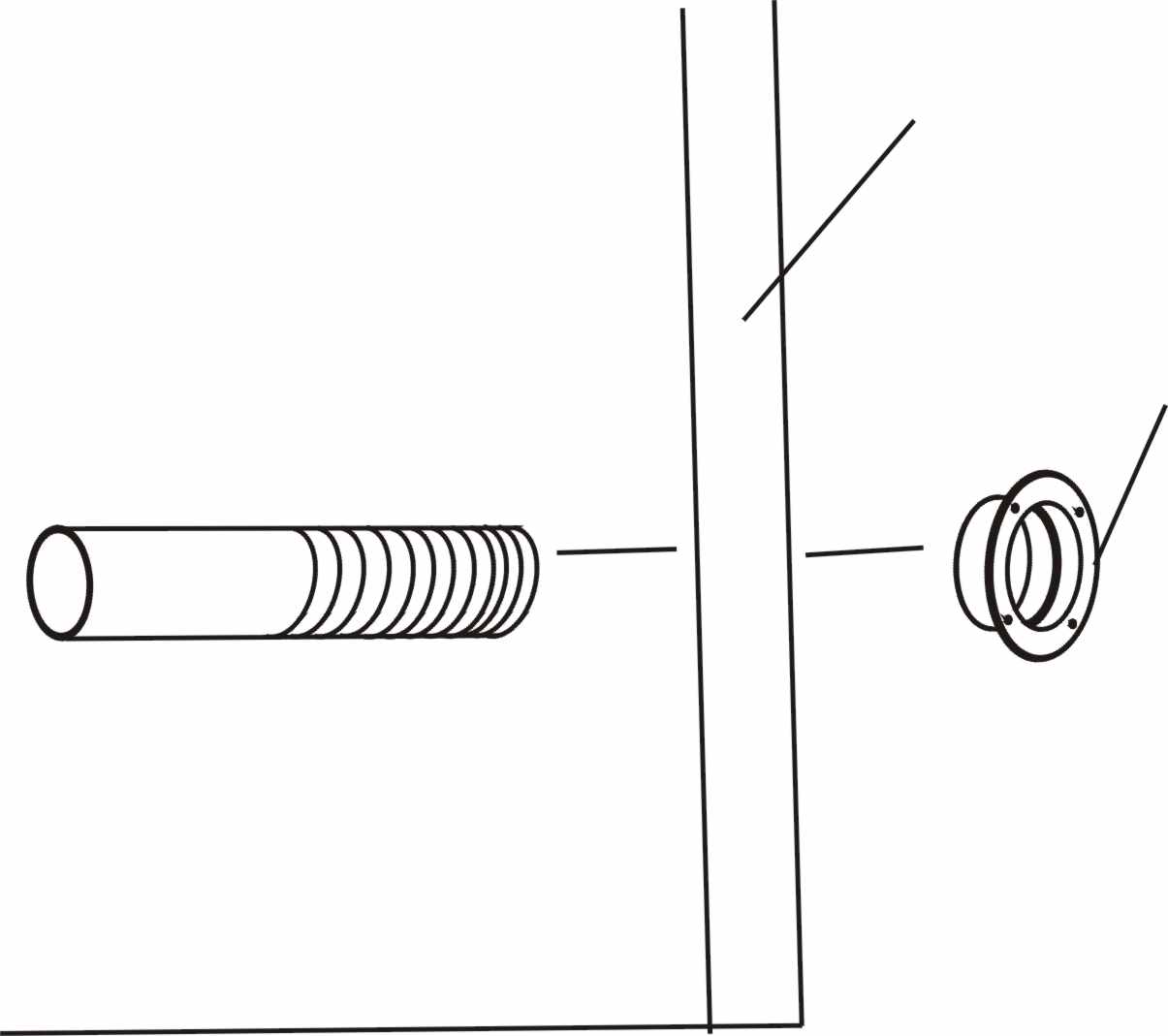
- Cut a 130mm diameter hole in the wall or window. Insert the exhaust hose into the hole in the window or wall and attach the outward adaptor from the outside as shown. When not in use, close the hole with the cover provided.
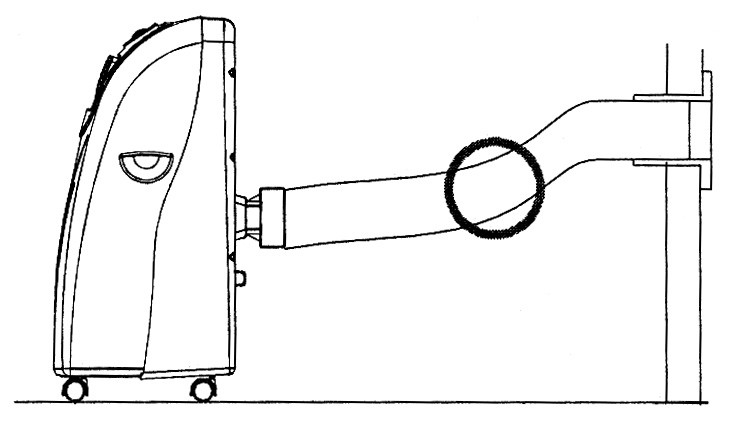
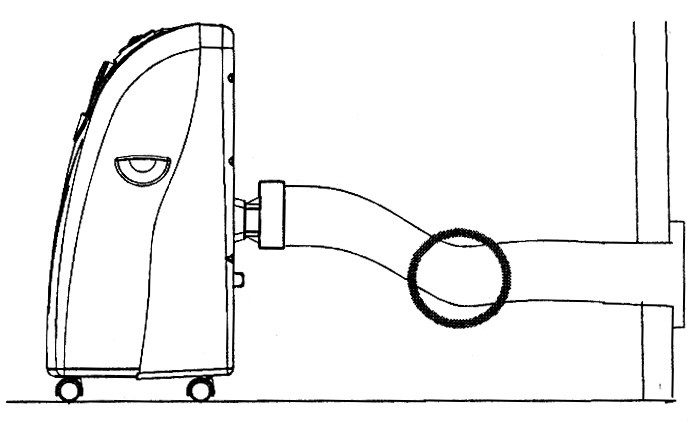
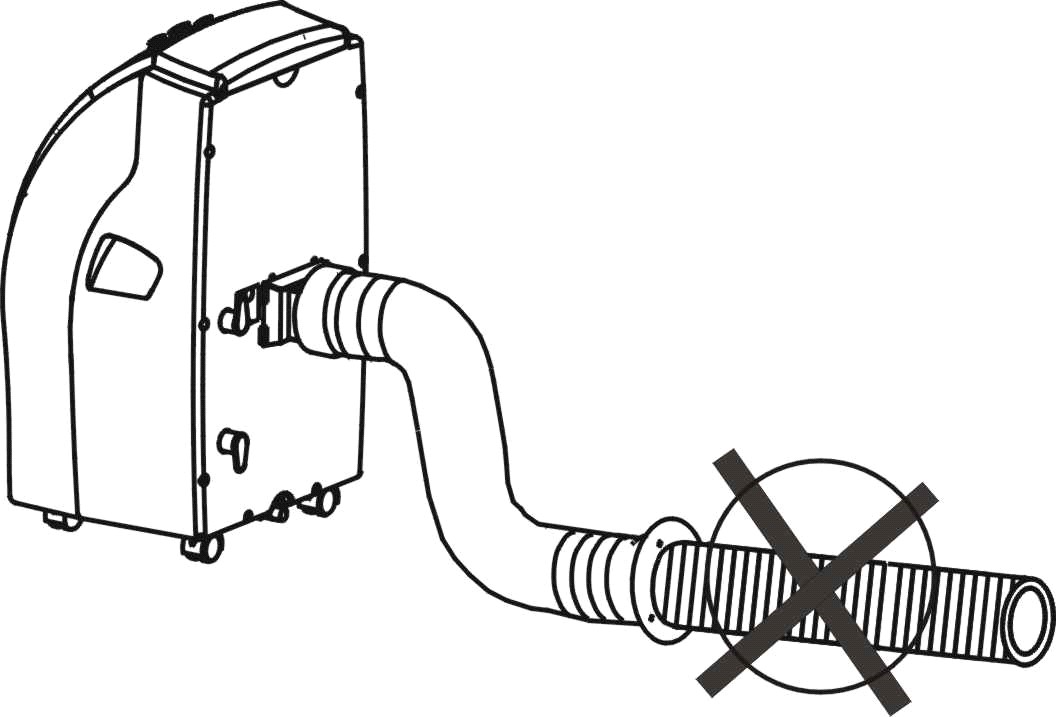
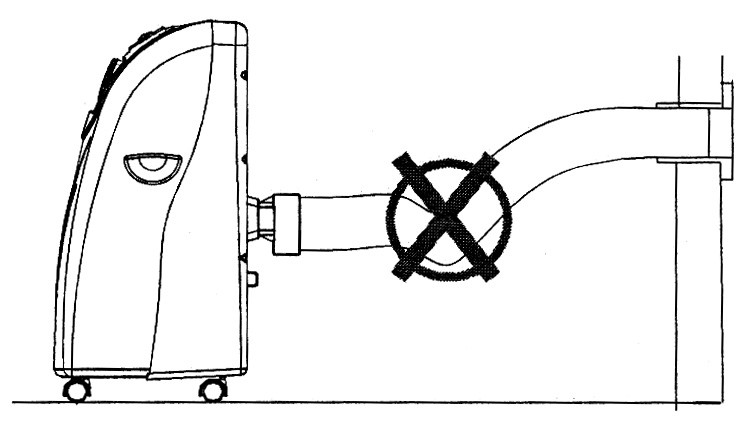
Mounting of the exhaust pipe
- Use only the exhaust hose provided with the appliance. Put the inward adaptor on it and fix it to the air outlet at the back side of the unit.
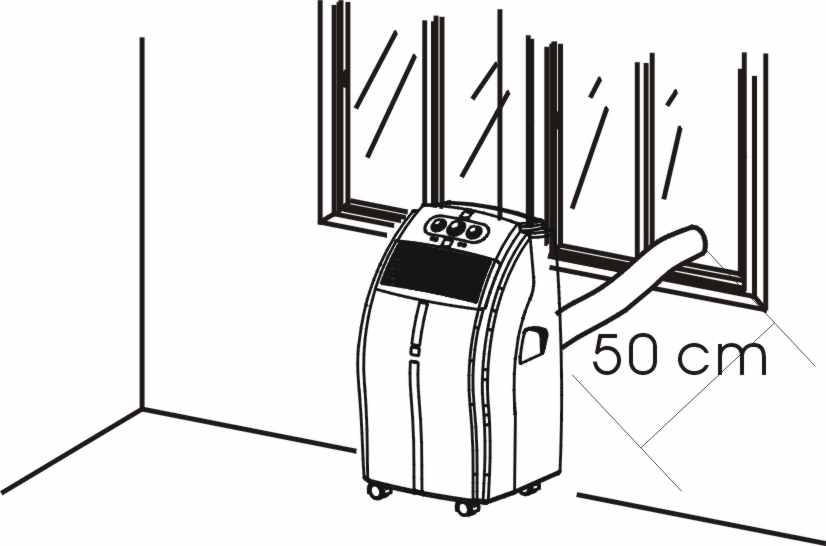
- The correct position of the hose is shown on the first two pictures.
- The hose supplied with the unit may be extended from 300 mm to 1500 mm but for maximum efficiency use the shortest length possible.
- Before switching the appliance on make sure that there are no kinks and bends on the exhaust hose. Otherwise it may cause overheating of the appliance and its automatic switching off.
WARNING!
- The length of the exhaust pipe is specified according to the technical requirements of this product. Do not replace or lengthen it by yourself as it could cause the incorrect work of the air conditioner.
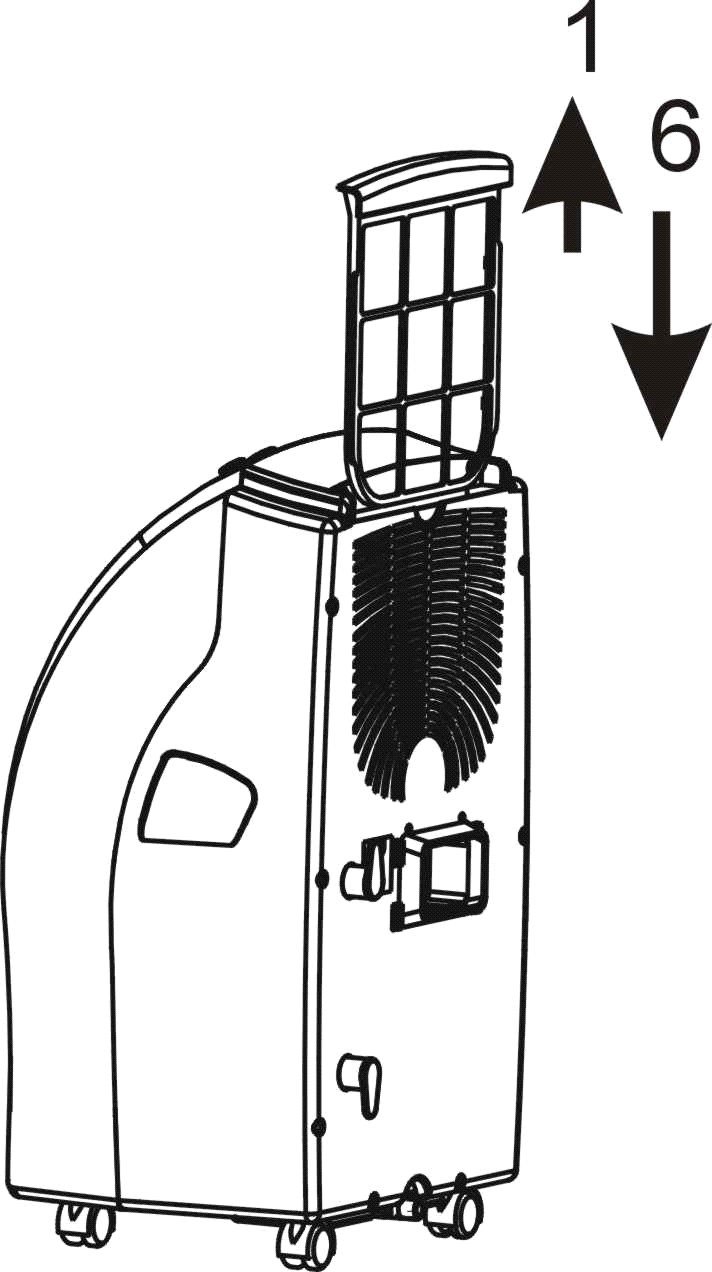
Installation of the carbon filter
- Remove the filter frame from the unit. Separate the fixing device from the filter frame. Remove the active carbon filter from its plastic bag. Insert the active carbon filter into the filter frame. Fix the filter with the fixing device into the filter frame.
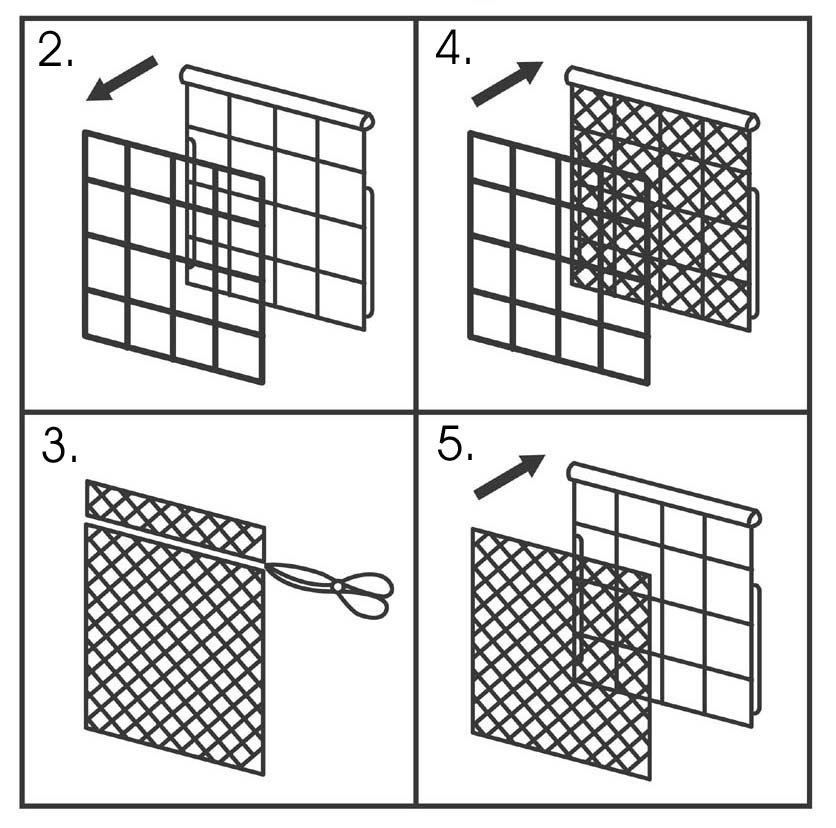
- Put the filter frame inside the unit.
Appliance operating
For PM 0904 M, PMH 0904 M
Model PM 0904 M without heating function
_
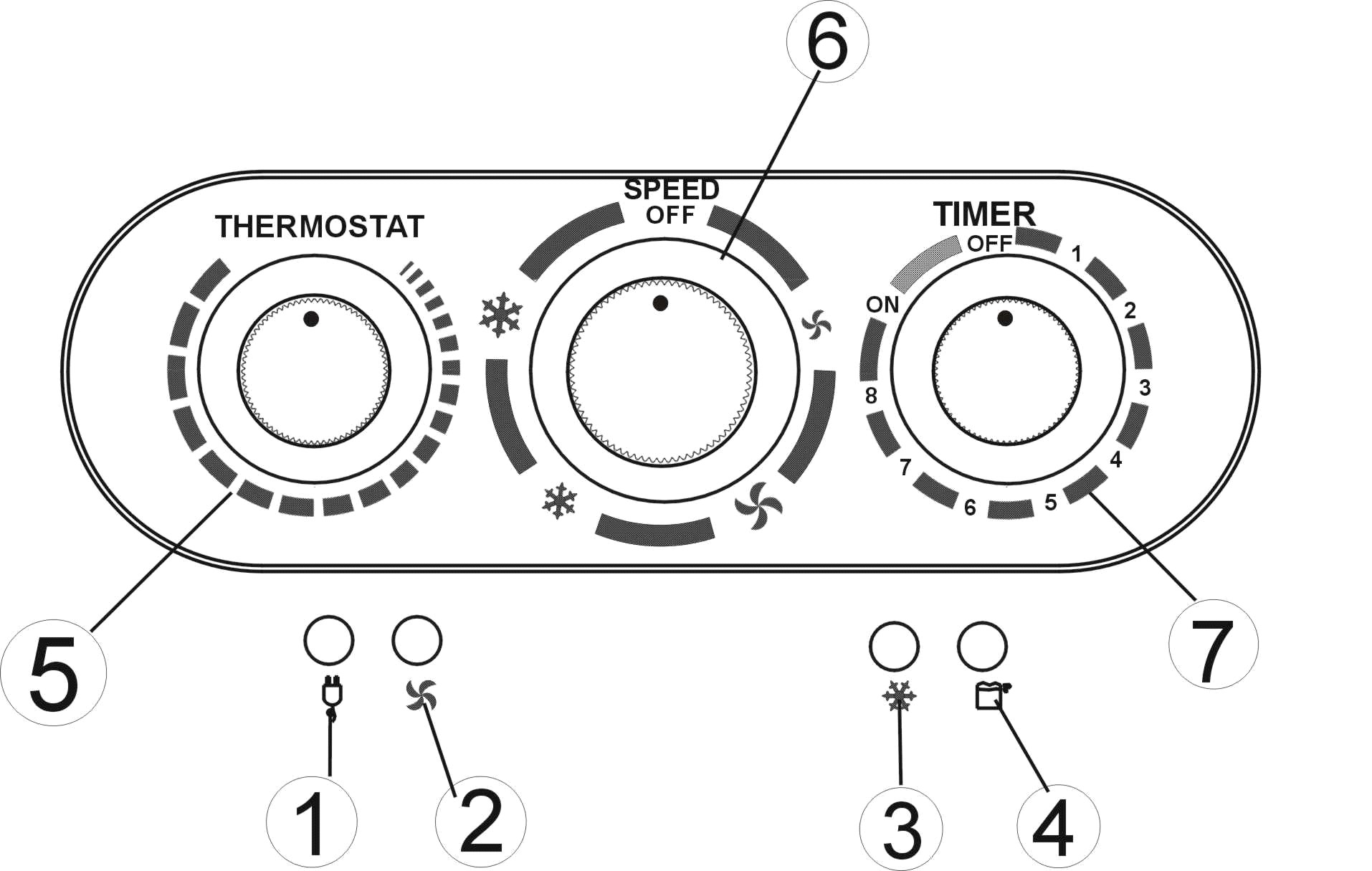
Power indicator Fan mode indicator Cooling mode indicator “Water full” indicator Thermostat Speed switch with options for - LOW FAN, HIGH FAN, LOW COOL, HIGH COOL Timer (1-8 hours) as well as ON/OFF switch
Model PMH 0904 M with a heating function.
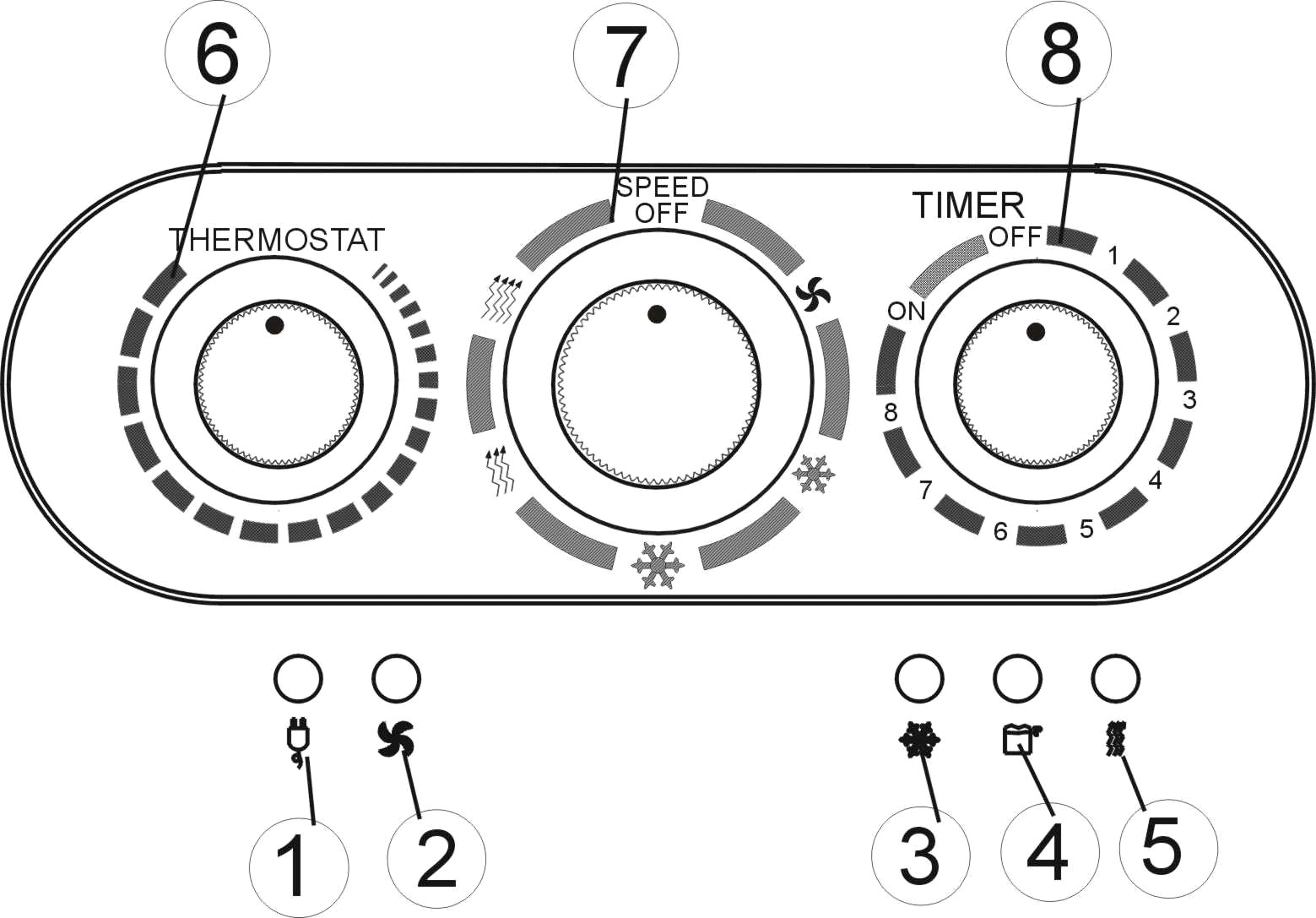
Power indicator Fan mode indicator Cooling mode indicator “Water full” indicator Heating mode indicator Thermostat Speed switch with options for - FAN,
LOW COOL, HIGH COOL,
LOW HEAT, HIGH HEAT.
Timer (1-8 hours) as well as ON/OFF switchTurning ON/OFF
For the permanent work of the appliance just set TIMER to “ON” position
(the unit will operate till you switch it off).
Power indicator is alight all the time.
To switch off the unit, turn the TIMER to “OFF” position.
Setting mode/function
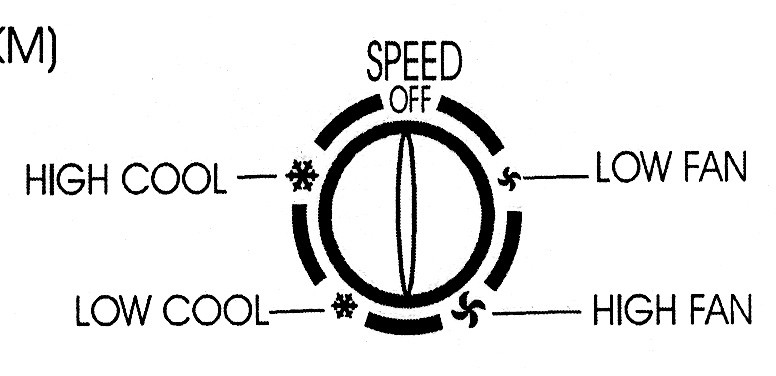
Model PM 0904 M
Turn the speed switch to select the mode you need:
LOW FAN, HIGH FAN, LOW COOL, HIGH COOL
Setting mode/function
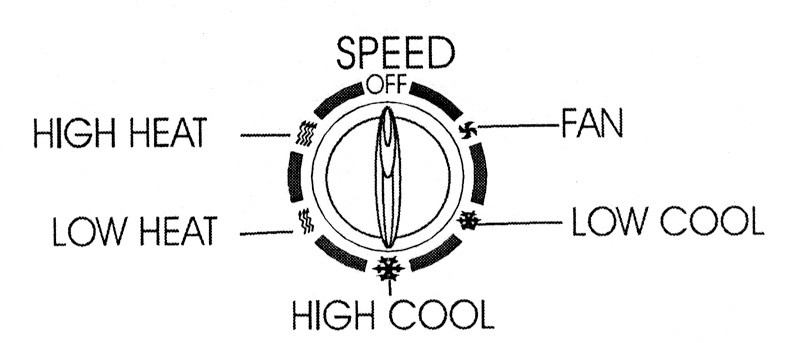
Model PMH 0904 M
Turn the speed switch to select the mode you need:
FAN, LOW COOL, HIGH COOL,
LOW HEAT, HIGH HEAT
Setting temperature
Turn the THERMOSTAT to regulate the temperature you desired, from 18C to 32C. The cooling intensity is increasing clockwise.
Set timer
Set the TIMER to the desired operating time (1 to 8 hours). When the time is up, the machine will stop working automatically.
For Models PMH 0904 SE-Р, PMH 1204 SE-Р
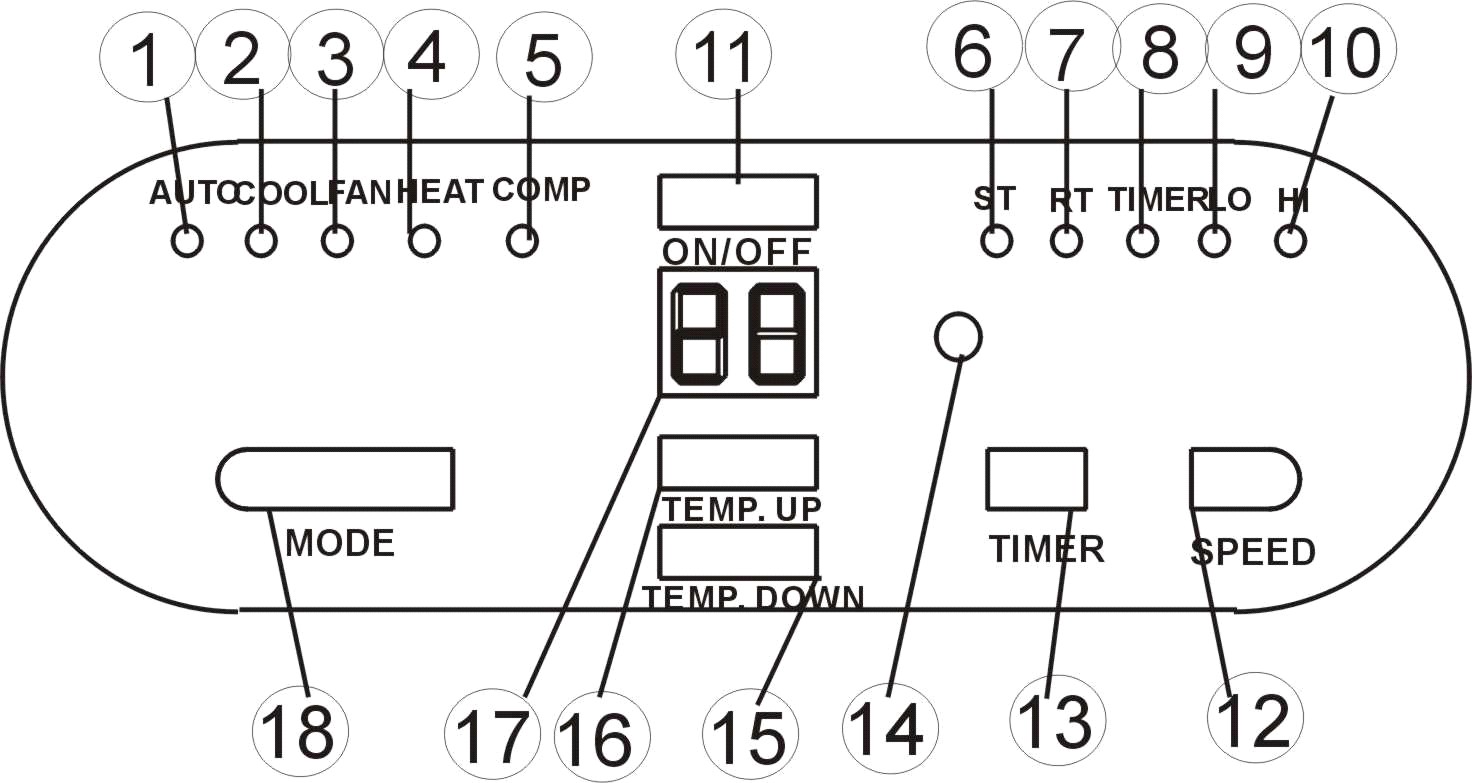
Control panel
Automatic mode indicator
Switching ON/OFF
Press ON/OFF button, the unit will start working automatically. If the room temperature is
- higher than 23C, the unit will work in cooling mode.
- higher than 20C but below or equal to 23C, the unit will work in ventilation mode.
- below 20C, the unit will work in heating mode.
Indicators of the modes light up accordingly. *NOTE! The COMPRESSOR indicator lights up only if the compressor is in operation.
The display window shows the room temperature.
To switch the unit off, press ON/OFF button again.
Setting mode/function
Press MODE button to select required working mode: automatic, cooling, fan or heating,
The indicator of the selected mode lights up.
Setting temperature
Press 'Temperature up' or 'Temperature down' button to regulate the temperature you desired.
The display window shows the temperature you set when you press 'Temperature up' or 'Temperature down' button. Otherwise, it always shows the room temperature.
The pre-setting temperature of this machine is: 24oC for cooling, 20 oC for heating.
Setting the speed of air flow
- Press SPEED button to choose the air flow speed you need, high or low. The indicator of high or low air flow lights up at the same time. If the unit is in AUTO mode, it will choose the air flow speed automatically according to the room temperature (the related indicators lights up), at this time, the speed button doesn’t operate.
Setting timer
- Press TIMER button to set the operating hours you desired (1 to 12 hours - the timer indicator lights up). When the set time is up, the machine will turn off automatically. The display window shows the hour(s) you set when you press TIMER button. If the timer button is not pressed, the unit will work continuously. Setting the timer but without pressing the other modes’ buttons, you can PRE-SET the time for the machine to start working. For example, if you press the timer to '2', the unit will start working automatically in 2 hours.
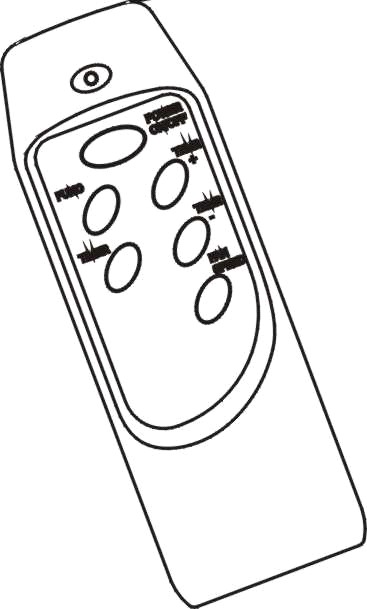
All the above functions can also be set with the supplied remote control. This remote control requires 2 pcs AAA batteries to operate. The remote control is supplied without batteries.
UV light function
The models PMH 0904SE-P, PMH 1204SE-P are equipped with UV light. When the power is on, the UV light activates. The blue light inside the air vent lights up, it can clean the air and improve its quality.
Regulating of air flow direction
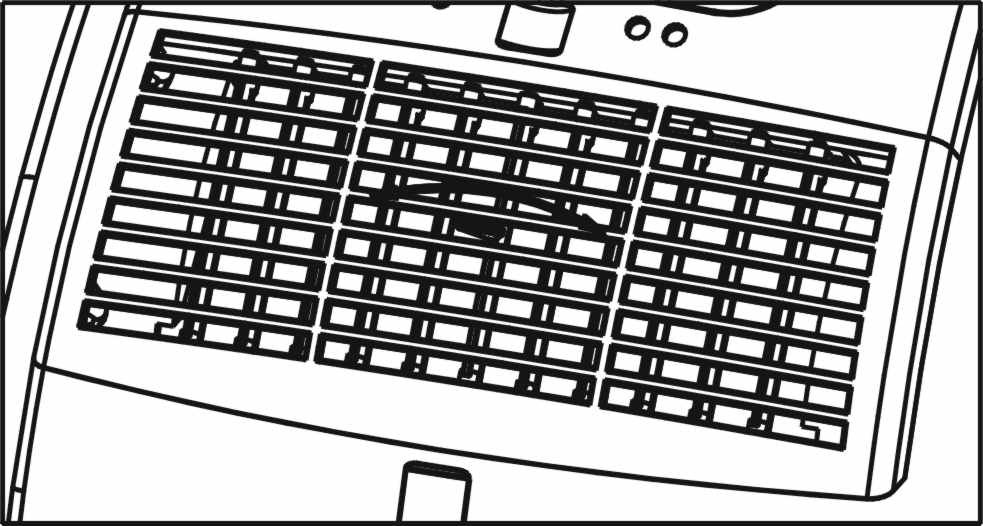
Turn the roller of the air vent to the right or to the left to control the air flow direction.
NOTICE!
- To prolong the compressor's life, after switch-off of the unit, please wait for 3 minutes (at least) before re-switch. The cooling mode switches off if the room temperature is lower than the set one. The ventilation, however, keeps working on the set level. If the room temperature rises above the selected level, the cooling system switches on accordingly. On the contrary, the heating mode switches off if the room temperature is higher than the set one (still, the ventilation keeps working on the set level). As the room temperature drops below the selected level, the heating starts working again. This machine has got the ANTI-FROST function. While using the heating mode when the temperature in the room is low, sometimes the heating stops for a while in order to melt the frost. When it happens, wait for the heating starts working. While switching on the heating mode the ventilation stops working for 15-20 sec. in order to warm up the appliance.
Drainage system

|
Из за большого объема этот материал размещен на нескольких страницах:
1 2 3 4 5 6 |
