Партнерка на США и Канаду по недвижимости, выплаты в крипто
- 30% recurring commission
- Выплаты в USDT
- Вывод каждую неделю
- Комиссия до 5 лет за каждого referral
Создание макроса.
Отчет.
Запускаем MS WORD. Нажимаем на кнопку «Visual Basic» во вкладке «Разработчик». Создаем новую форму во встроенном VB ( Insert/UserForm). На форме создаем два поля “Label” , два текстовых поля “TextBox” и командную кнопку “CommandButton”.
- В свойстве “Caption” поля «Label1» записываем пример ввода текста для TextBox1 . Повторяем действие с полем Label2. В свойстве Caption командной кнопки пишем OK.
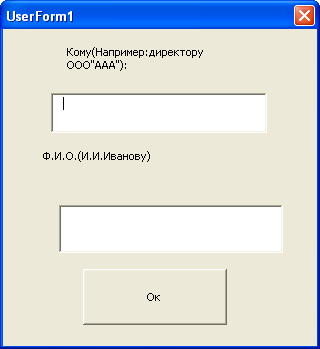
Private Sub CommandButton1_Click()
'ввод текста
With Selection. ParagraphFormat
.LeftIndent = CentimetersToPoints(10)
.SpaceBeforeAuto = False
.SpaceAfterAuto = False
End With
Selection. Font. Name = "Times New Roman"
Selection. Font. Size = 14
Selection. TypeText Text:=TextBox1.Text
Selection. TypeParagraph
Selection. TypeText Text:=TextBox2.Text
Selection. TypeParagraph
'вызов следующуй формы
UserForm1.Hide
UserForm2.Show
End Sub
6.Создаем вторую форму (UserForm2) выполняем в ней действия пункта 4.
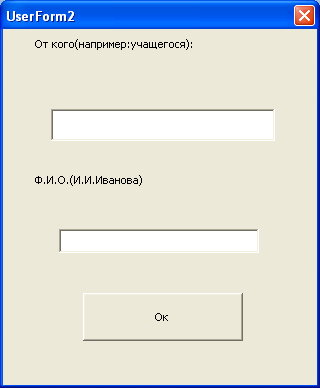
Private Sub CommandButton1_Click()
'ввод текста
With Selection. ParagraphFormat
.LeftIndent = CentimetersToPoints(10)
.SpaceBeforeAuto = False
.SpaceAfterAuto = False
End With
Selection. Font. Name = "Times New Roman"
Selection. Font. Size = 14
Selection. TypeText Text:=TextBox1.Text
Selection. TypeParagraph
Selection. TypeText Text:=TextBox2.Text
Selection. TypeParagraph
'вызов следующей формы
UserForm2.Hide
UserForm3.Show
End Sub
8. Создаем третью форму.
- Создаем поле Label, TextBox и CommandButton. Меняем данные поля Label (св-во Caption). Меняем данные CommandButton (св-во Caption =OK).
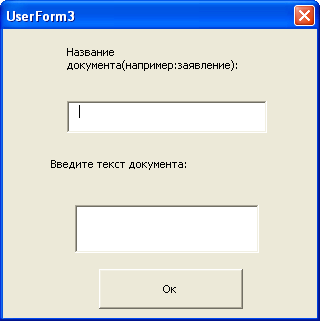
9. Записываем код выполняемый при нажатии на командную кнопку в третьей форме:
Private Sub CommandButton1_Click()
‘ Ввод текста
With Selection. ParagraphFormat
.SpaceBeforeAuto = False
.SpaceAfterAuto = False
.FirstLineIndent = CentimetersToPoints(0)
End With
With Selection. ParagraphFormat
.LeftIndent = CentimetersToPoints(0)
.SpaceBeforeAuto = False
.SpaceAfterAuto = False
End With
Selection. Font. Name = "Times New Roman"
Selection. Font. Size = 14
Selection. ParagraphFormat. Alignment = wdAlignParagraphCenter
Selection. TypeText Text:=TextBox1.Text
Selection. TypeParagraph
Selection. ParagraphFormat. Alignment = wdAlignParagraphLeft
With Selection. ParagraphFormat
.SpaceBeforeAuto = False
.SpaceAfterAuto = False
.FirstLineIndent = CentimetersToPoints(1)
End With
Selection. TypeText Text:=TextBox2.Text
Selection. TypeParagraph
'вызов следующей формы
UserForm3.Hide
UserForm4.Show
End Sub
10. Создаем четвертую форму.
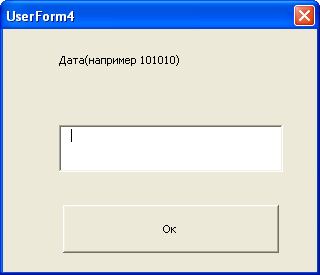
11. На форме создаем поле Label, TextBox и CommandButton;
меняем их данные.
12. Записываем код выполняемый при нажатии на командную кнопку в четвертой форме:
Private Sub CommandButton1_Click()
Selection. TypeText Text:="Подпись:"
Selection. TypeText Text:=vbTab & vbTab & vbTab & vbTab & vbTab & vbTab
Selection. TypeText Text:=TextBox2.Text
UserForm4.Hide
End Sub
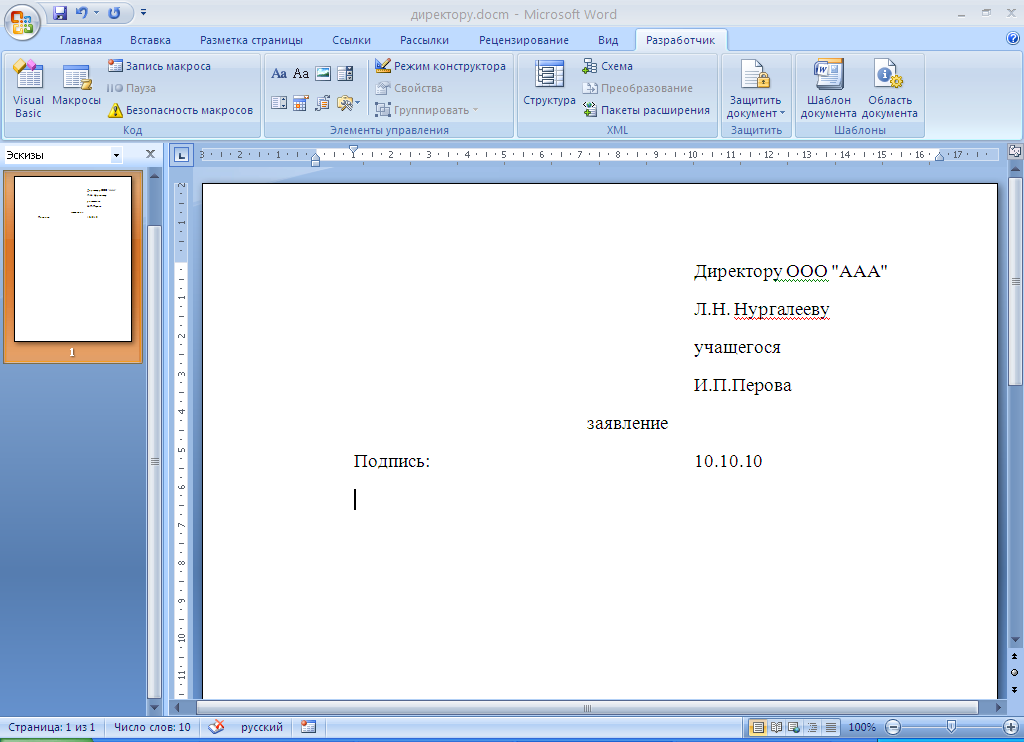
13. Сохраняем и закрываем документ.