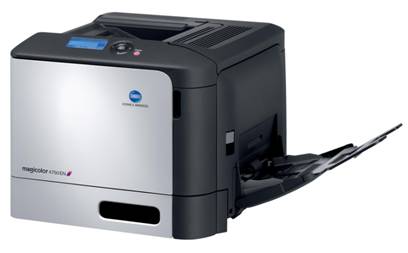
magicolor 4750EN/DN
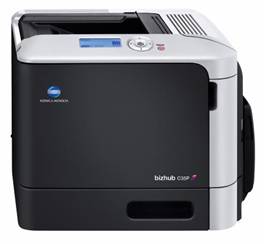
bizhub C35P
Руководство по продукту
Brian Bissett
Bissett Communications Corp.
February 27, 2007
Introduction
This white paper has been prepared on behalf of Konica Minolta Business Solutions Europe by Bissett Communications Corporation, the publisher of The MFP Report newsletter. It is intended to explain, analyze and provide an industry context for Konica Minolta’s new OpenAPI software development platform. OpenAPI is a Web services application development environment that will enable software developers to create and connect a variety of server-based applications with existing and future Konica Minolta bizhub multifunction peripheral (MFP) devices used in office environments.
This white paper is divided into five sections:
n Section I briefly summarizes the recent history of the MFP market, with particular emphasis on the convergence between document management solutions and MFP-based document scanning as the primary context for the development of software development tools by MFP hardware vendors.
· Section II examines the topic of MFP software development platforms, including the relative merits of Web-based versus Java-based software architectures and the role of MFP middleware. This section also looks at business considerations regarding the manner in which MFP manufacturers bring their software tools to market and how they partner with independent software vendors (ISVs).
· Section III describes and assesses Konica Minolta’s new OpenAPI software platform, including the origins of OpenAPI, its components and capabilities, the relationship between OpenAPI and various bizhub devices, and Konica Minolta’s plans for the phased roll-out and future enhancement of OpenAPI. This section also compares OpenAPI to competing MFP development platforms, and explains how Konica Minolta intends for OpenAPI to coexist with the JScribe software it sources via IBM.
· Section IV focuses on Konica Minolta’s emerging business strategy for disseminating, promoting and leveraging OpenAPI in the marketplace, comparing these plans to strategies being pursued by key MFP competitors.
· Section V concludes with an overall assessment of OpenAPI, its competitive strengths and challenges in the market, and the opportunities Konica Minolta faces in the rapidly evolving world of MFP software applications.
It is important to note that this white paper specifically addresses Konica Minolta’s plans for OpenAPI in Europe. While the technical description and discussion of OpenAPI are applicable to other markets and geographies, it is likely that Konica Minolta will pursue somewhat divergent business strategies for OpenAPI in each of its key global markets.
I. The Changing Context of Multifunctionality
The term “MFP” has been the subject of confusion and debate for more than a decade. For the purposes of this white paper, the relevant kind of MFP is a hardcopy device that is connected to a network, has a platen, features a touchscreen LCD on the control panel, and provides two or more imaging functions among printing, scanning, copying and fax.
The concepts of “copier-based” versus “printer-based” multifunction devices, the channel through which the products are sold, and the form factor of the machine (i. e., A3-size or A4-size) are not relevant to this particular discussion. For the most part, today’s monochrome and color office MFPs are toner-based devices. However, there is emerging a new generation of inkjet office MFPs that will likely become equally relevant and coexist with toner-based devices in the future.
The transition from analog copier technology in the 1970s and 1980s to the world of digital copiers and multifunctionality in the mid-1990s has been complete for several years. New analog copiers are no longer manufactured, and approximately three-quarters of the monochrome digital copiers and nearly all of the color copiers sold today are used as MFPs. Moreover, it is increasingly common for some kind of network printing and network scanning to be included at no additional charge in the base configuration of office MFPs.
With the rise of multifunctionality, the volume of printed pages — as opposed to copies — continues to grow as a portion of total document output on office worked MFPs often output 25% more pages in total than comparable standalone copiers, and these devices have increasingly drawn pages away from network printers. In addition, with the rapid shift toward color-enabled MFPs replacing monochrome models in the office, the volume and proportion of prints on such devices can be expected to continue rising.
This does not mean that change has ceased to occur in the MFP market. In many regards, the opposite is true. So strong has been the success of multifunctionality that vendors long associated with the single-function printer market are today aggressively seeking a stake in the MFP market, while they also work to redefine traditional MFP sales channels and business norms. Meanwhile, the MFP market is in the throes of another major technological transition, one that is potentially more dynamic and complex than the transitions from analog to digital technology and from monochrome to color output. This is the shift from MFPs being just passive peripherals to becoming active portals through which documents and information enter and exit the network.
Coinciding with this latest transition is the expanding role of MFPs as distributed capture devices from which document-oriented applications are accessed by a broad array of users in mainstream office environments. For the most part, document capture is joining rather than supplanting output in the ways that MFPs are used in offices. Nonetheless, it is clear that scanning will play a much greater role in the ongoing adoption and deployment of MFPs.
The simplicity and value of attaching scanned images to e-mail messages from an MFP provided a significant boost to MFP-based document capture in the late 1990s. Since then, MFP-based scanning has benefited from several mutually reinforcing trends. These include growing recognition of the direct and indirect costs associated with document management and content retrieval; rising interest in document management as a result of regulatory and disaster recovery concerns; increased availability of document applications suited to mid-sized and smaller businesses; strong interest in distributed document capture as existing imaging installations expand; acceptance of ad hoc text search as a result of companies like Google; and intensifying interest in the content management market from leading IT vendors such as Microsoft, IBM, EMC and Oracle.
Fortunately for MFP vendors and their customers, the breadth, quality and capabilities of scanning on office MFPs has continued to mature. For a long list of technological and economic reasons, customers increasingly find that MFPs are excellent document scanners. What imaging hardware vendors, software companies and end users now seek are powerful but flexible choices for tightly integrating MFPs into office workflows, while still maintaining the simplicity for which copiers have long been known. This is where today’s emerging MFP software development platforms fit.
II. MFP Application Development Platforms
A. The Evolution of MFP Software
The functionality required for printing documents has been well defined for many years. Print drivers are part of the operating system. Printer vendors, printing technology suppliers and industry bodies have specified the requirements for printing any document in any environment, for administering print devices, and for managing the entire printing process.
As a result, MFP vendors have had only a few areas on which to focus their print-related software development efforts. The emphasis has been largely on improving real-world print speeds under a variety of conditions and creating better software for installing, monitoring and managing the MFP print function. Secondarily, vendors have worked to extend MFP-based printing into certain higher page volume applications, particularly variable data printing, forms printing, transactional data printing, and print-on-demand publishing.
Conversely, the opportunities and challenges in MFP-based scanning have been far less developed until quite recently. Moreover, there is a critically important difference between network scanning and network printing that ought to be understood. Printing entails receiving from computers a stream of existing data, along with the instructions on how to portray the data on paper. It is essentially a passive or reactive process. In contrast, scanning engenders creating data in the form of document images, designating where these images are to be sent, and specifying what is to be done with them. At its core, scanning is a proactive process.
When scanning on MFPs first emerged a decade ago, scanning protocols (e. g., TWAIN) presumed that a scanner was always attached to and controlled by a PC. A driver was supplied by the scanner vendor. Users could then “pull” images from the scanner to the PC, usually from within the application in which the images were to be utilized, and then immediately determine what to do with those images.
The challenge presented when scanning on a networked MFP is that there is no direct connection between the MFP and the user’s computer. Vendors first attempted to address this challenge by mimicking the PC scanning model. Users could “reserve” the MFP from an application on their PCs, walk over to the MFP, and scan some pages. Alternatively, users could scan a document on an MFP and store the images inside the device or in a folder on the network. In both cases, it was not possible to associate data with the images, which meant that users subsequently had to locate, retrieve and redirect the images to the intended application or destination. Equally importantly, early MFP scanning solutions offered little in the way of security when it came to authenticating, tracking or controlling use of the scan function.
As noted, MFP vendors first worked to improve the user experience for sending scanned images directly from an MFP as attachments to e-mail messages. This capability addressed a need that customers previously had not articulated but which provided tangible value. Scanning to e-mail helped dramatically increase interest in ad hoc document image capture. Today, mature MFP scan to e-mail solutions leverage e-mail directory and authentication services, and scan to e-mail has become the mostly commonly used form of MFP-based document capture.
In order to address the need for simple scanning from a networked MFP to a much wider range and number of applications beyond just e-mail, some vendors and their partners started to develop new server-based software a few years ago. These solutions took several forms.
One approach was a server-based utility to create scan “workflows” that could be invoked from the MFP. These workflows or templates described both scanning parameters (e. g., resolution) and destinations for the images. This approach was typified by Xerox’s former CentreWare Scanning Services. Another approach was to integrate a third-party server that had its own user interface and links to other applications. This approach was epitomized by the relationships between eCopy and Canon and between Notable Solutions and HP. A third approach was in the form of a vendor’s own server applications that supported limited user interaction from the MFP control panel (e. g., Ricoh GlobalScan) or that relied on printed coversheets (e. g., Xerox FlowPort) to direct the scanning process.
All of these approaches had important shortcomings. Among these were the added cost of a dedicated server and a separate display; poor ease-of-use and flexibility associated with limited control panel integration or reliance on paper coversheets; minimal ability to control access to scanning or track scanning usage; and a lack of robust developer tools for tighter integration with third-party applications. As a result, most of these early server-based MFP scanning applications are now either being downplayed or discontinued in favor of much tighter integration via emerging software development platforms from MFP vendors.
The need for better programmatic interaction with networked MFPs led to the launch in 2003 of Canon’s Multifunction Embedded Application Platform (MEAP), which was the industry’s first true MFP software development platform. MEAP is a Java-based software environment that can be used to create applications that reside inside Canon MFPs. The first MEAP application became available in 2004, but due mainly to business issues, MEAP has fostered a fairly small number of MFP software applications and partnerships since then.
Other MFP vendors have followed with their own software platforms. Sharp announced its Web-based Open Systems Architecture (OSA) in the fall of 2004. Ricoh, which had provided a few ISVs with a ‘C’ software toolkit for its MFPs in 2003, launched its Java-based Embedded Software Architecture (ESA) in late 2004. Fuji Xerox arrived at the end of 2004 with a Web-based MFP software platform called Apeos iiX. And in late 2006, Xerox announced its Extensible Interface Platform (EIP), and HP quietly debuted its Simple Document Capture (SDC) software. Both of these are based on Web services. Today, nearly every vendor has promised, previewed or announced some form of MFP software development platform.
Meanwhile, a few independent software companies have carved out a robust business for themselves by developing their own flexible “middleware” solutions for MFP scanning. These companies — primarily eCopy but also Notable Solutions and EFI — have established partnerships with multiple MFP vendors and ISVs.
B. MFP Software beyond Scanning
While network scanning is by far the largest and most important application area to benefit from the emergence of MFP-based software development tools, there are two other areas that also warrant mention: document accounting and security.
Document accounting refers to software and systems that collect, track and report usage of MFPs, as well as printers, copiers and fax machines. Historically, document accounting was focused on tracking and charging external parties for copier usage in selected vertical markets, especially legal and education. With the shift from copying to printing and now to scanning as well, with greater IT awareness of the costs associated with document output, and with the spread of color devices that are more costly to operate, there has been increasing interest in document accounting in a broader range of companies and industries.
In the days of standalone analog copiers, document accounting required that special hardware be attached to each machine. The advent of networked MFPs made it possible to replace these “boxes” with server-based software. And with the development of MFP application tools, it has become possible to develop more powerful document accounting software, improve the user experience at the MFP, provide greater customization, and offer better document accounting integration with other applications.
MFP security encompasses a long list of poorly understood features and capabilities. MFP software platforms offer several important advantages in the realm of security. These platforms can now enable new capabilities that better restrict and control access to the device and to specific features, functions and applications; support greater personalization by defining and controlling the user experience based on the user’s identity; remove all remnants of data that may otherwise reside in the memory or hard disk inside the MFP; and maintain an audit trail of users, documents and activities performed on the MFP.
C. MFP Application Development Alternatives
There are two main approaches by which hardware vendors today are creating MFP software development platforms: an embedded Java approach and a Web services approach. Each has certain strengths and limitations from the perspective of software developers, IT managers and end users.
The use of Java for MFP software development originated first. It is exemplified by Canon’s MEAP and Ricoh’s ESA. Java is a widely accessible and powerful programming language. One or more Java applications can be developed to reside inside an MFP. Such applications may perform specific tasks (e. g., convert scanned images to searchable PDF files), or they may link scanned images and metadata from the MFP to an external application.
While Java is easier to use than earlier programming languages (such as C++), it still requires highly trained programmers with a significant level of skill and experience. Java applications can be resource intensive in terms of the processing power and memory they require from the MFP in which they reside. The Java approach has also proven cumbersome when it comes to designing user interface screens for the MFP control panel. Because a Java application must be installed inside each MFP where it is used, this approach can create significant administrative overhead to disseminate, manage and update the MFP applications. Moreover, the fact that the Java application resides inside the MFP can entail significant investment by the manufacturer and software developer in quality assurance and testing to make sure that the application does not affect the operation or performance of the standard MFP hardware. Typically, such testing must be performed for each supported application each time a new MFP is released or substantially enhanced.
The Web services approach to MFP software development is epitomized by Sharp’s OSA, Fuji Xerox’s Apeos iiX, Xerox’s EIP, HP’s SDC and now by Konica Minolta’s new OpenAPI. This approach leverages widely-used international Web standards such as HTML, XML, WSDL, AJAX and SOAP in order to create applications, to link applications with each other, to develop MFP user interface screens, and to manage all of this software. It is worth noting that when development began several years ago on Java-based MFP application platforms, a mature and robust embedded Web server with a small footprint — a prerequisite for a successful Web services platform — was not readily available. This is no longer the case.
The goal of a Web services approach to MFP software development is to embrace the vision of so-called “Web 2.0” technologies and related Service-Oriented Architecture (SOA). Web 2.0 refers to an evolving set of second-generation, Internet-based services that let people collaborate and share information. Similarly, SOA provides a means for making IT systems easier to share, reconfigure and integrate. The ultimate embodiment of these technologies focuses on utilizing the network as a platform for providing MFP services; delivering a rich, interactive, browser-based user experience at the MFP control panel; and fostering a participative community of software developers and partners.
Web services development is generally seen as less demanding and less complex than Java programming. In fact, many people who are not trained programmers can create relatively simple Web applications. A Web-oriented MFP platform is thus more accessible to a wider range of software developers, including ISVs, in-house software developers, and technology integrators and resellers. Likewise, the time required to develop or modify a Web-oriented MFP application is usually less than the time needed to create an equivalent Java application. The Web approach also has the advantage of being able to leverage a wider range of popular software development tools.
It is important to point out that if a particular task (e. g., optical character recognition) is best achieved through programming in Java or another language, these programs or applets can still be integrated as part of a Web services approach. Although it sounds a bit confusing, the Web information displayed on the MFP control panel can invoke Java applications for particular tasks or processes, much in the same way that a browser on a PC might run a Flash video or display a PDF document.
There are other important advantages to using Web services for MFP application development. Foremost, it is easier to develop highly customized and intuitive user screens on the control panel with Web browser technology. Because the application does not run inside the MFP, the embedded browser needs only to display the standard Web pages it receives from an external server. This reduces the need for processing power and memory inside the MFP. Likewise, it enables applications to be used in conjunction with lower-end or less expensive MFPs that lack the resources needed to run embedded Java applications. It is also far more practical to have multiple applications running on one or more servers than it is to have them all running inside each MFP. And because the software resides on a server, it is much easier to test, deploy, manage, secure, support and update in an enterprise IT environment.
One possible downside to a Web based approach is that if the network connection is not available, the application cannot be accessed. Of course, if the network goes down, a Java application on an MFP is unable to send images over the network, and the network printing function is also unavailable. Another potential issue with a Web services approach is that a large number of MFPs interacting with an application on a server might create a bottleneck. However, in the majority of applications, one or more servers can be sized appropriately for such demands. In addition, the advanced image compression capability found in most MFPs greatly reduces the magnitude of image data traffic on the network.
In summary, utilizing Web services technology to develop server-based MFP applications has many compelling advantages and few real disadvantages as compared to creating Java applications that reside inside multiple MFPs. In fact, it would not be surprising to see one or both of the early Java pioneers in MFP application development shift towards a Web services approach or add a Web services layer on top of its existing Java platform.
D. MFP Hardware Considerations
Two issues related to MFP hardware are important to consider when developing or integrating MFP applications: the MFP controller and the MFP control panel.
One can think of the controller as the “brain” inside the MFP. In terms of MFP software applications, the main software concerns relate to controller performance, architecture and compatibility. As already mentioned, the power available from the processor used in the MFP controller and the amount of memory can be issues for a Java-based approach in that the same resources must be used to operate the MFP and host the other software applications.
The issue of controller architecture is more subtle. It is generally advantageous that the MFP controller integrates all of the imaging functions and shares access to the same processor, memory and hard drive. Such architectures are the norm in most MFPs sold today. For example, nearly all of Konica Minolta’s MFPs for the general office utilize the company’s bizhub OP controller architecture. As for controller compatibility, the issue is whether a vendor’s software platform works the controllers in its existing MFPs. Generally, emerging MFP software platforms have not been compatible with a vendor’s MFPs that were released prior to the new software becoming available.
In terms of the MFP control panel, the main requirement is that the touchscreen liquid crystal display (LCD) be of a sufficient size to reasonably portray application-oriented screens. In nearly all cases, MFP vendors are moving toward using much larger (e. g., 8” diagonal) and higher-quality color LCDs. The major Java-based MFP application platforms have been designed to support a specific control panel size and design. Conversely, Web-based MFP software platforms can often support a wider array of control panels and LCDs.
E. Go-to-Market Strategies
The other major challenge for MFP vendors and for the entire industry is that good technology — while a necessary precondition for transforming MFPs into application platforms or portals — is not alone sufficient to assure success in the market. Just as important are a vendor’s platform business strategy, its partnering activities, and its go-to-market plans for these software tools.
The first issue to consider is whether the MFP vendor has an “open door” in working with ISVs. Some vendors require prospective software partners to provide many highly sensitive details about their application plans and why the partner wants to work with the MFP vendor. Also important are the cost to the ISV to access the MFP software tools, and the nature and cost of the development support that the ISV receives.
One of the most important issues is whether a vendor charges a royalty on the MFP software that the ISV develops. Given the fact that major software platform companies do not charge these kinds of royalties, it is questionable whether an MFP vendor successfully can. A related issue is whether the vendor requires that the partner’s application be certified before it is deemed compatible with the vendor’s MFPs. If certification is required, the level of certification, the associated fees, and the required time become very important considerations. As noted, certification tends to be more complex with Java platforms in which the third-party application resides inside the MFP.
Another fundamental issue is whether an MFP vendor is developing its own applications and whether third-party software competes — or is perceived as competing — with the manufacturer’s applications. Hardware vendors are cautioned to limit their own development efforts to software infrastructure, so that partners can develop differentiated applications with greater added value.
Even if an MFP vendor does an exemplary job in recruiting numerous credible ISVs to its program, challenges remain with regard to how effectively the vendor partners with these ISVs in selling and marketing their respective hardware and software products in a way that best meets the needs of channel partners and end users.
The approach to sales is especially critical. Historically, the most successful applications in the MFP market have been resold by MFP vendors. Examples include Canon’s relationship with eCopy, Xerox’s relationships with Nuance (i. e., ScanSoft), HP’s relationship with Notable Solutions, and Ricoh’s relationship with Equitrac. The success of these partnerships reflects the relatively early stage in the MFP solutions business when such arrangements were established. However, it is not be tenable ongoing for each MFP vendor to sell and support every compatible application developed by its software partners.
The other critical sales issue is the lack of overlap in channels and business norms between the MFP industry and the document software market. MFPs are sold primarily through independent office equipment dealers and direct sales branches. Equipment is typically leased, often with a per-page charge that covers supplies and service. Conversely, most document-oriented software is sold by value-added resellers, system integrators, and through direct sales. Typically, the software is bundled with higher-value services for consultation, customization, integration, support and upgrades.
To the extent that an MFP vendor and an ISV both have direct sales channels, joint selling and collaborative programs may be more feasible. However, when the MFP hardware and ISV software are sold through different channels, the task of creating workable programs and procedures is more complex. Nonetheless, in both instances certain joint marketing activities are obvious. These include the MFP vendor publishing a partner solutions catalog and Web site; lead-sharing processes; bilateral exhibiting opportunities at trade shows and events; direct mail and web promotion campaigns; joint or cooperative advertising; and cross-training programs for sales personnel.
Notwithstanding such efforts, the biggest challenge for MFP hardware vendors, ISVs and their respective channel partners is how well they create new infrastructure to facilitate mutual sales. MFP vendors who achieve programmatic strength in sales, marketing and partnering can have a distinct advantage over their competitors, even if the competition has superior software technology or hardware price advantages.
Last but not least, it is crucial that the MFP vendor has a clear vision of the interplay between hardware and software in its core market. The MFP vendor may see software and partnerships as a cost of doing business in order to sell MFP hardware and increase page volume, or the vendor may look at software partnerships and resultant software sales as generating mutual profit that can offset declines in hardware and aftermarket margins and redefine the MFP business model. Having extreme clarity on this matter is a prerequisite to developing effective MFP software development, partnering, sales and marketing initiatives.
III. Konica Minolta’s OpenAPI
A. The Background of OpenAPI
Konica Minolta has been working on its OpenAPI software platform for a couple of years. OpenAPI was an integral part of the original bizhub OP (“Open Platform”) modular embedded MFP controller architecture that Konica Minolta brought to market in Japan in late 2004 with the launch of the bizhub C450. The first bizhub OP enabled MFPs were launched in Europe in 2005.
In the past, Konica Minolta has not always been as aggressive as some competitors in focusing on scanning and third-party software. However, that is changing. For example, Konica Minolta has agreed to distribute eCopy’s ShareScan OP stations for the bizhub line. In part, the somewhat lower profile for scanning at Konica Minolta can be explained by the need to first develop the bizhub OP controller architecture. It is also consistent with Konica Minolta’s focus on the production printing segment of the MFP market in recent years. Development of OpenAPI was also affected by the need to integrate previously separate Konica and Minolta controller platforms and software visions.
An important milestone in the evolution of Konica Minolta as an MFP manufacturer was the arrival of new model powered by bizhub OP controllers. These devices provide as standard features a robust range of network PCL and PostScript printing; network scan to e-mail, scan to file, scan to FTP capabilities; and network user authentication features. This level of free functionality has helped set Konica Minolta MFPs apart from those of competitors, who in many cases charge for similar capabilities on some of their models.
Konica Minolta itself sites four reasons why it is developing OpenAPI: (1) to create a common interface among different bizhub models that overcomes underlying hardware differences; (2) to enable control of MFPs from an external PC or server; (3) to allow for easier device customization and software integration, particularly for major customers; and (4) to keep pace with the MFP competition.
The somewhat protracted arrival of OpenAPI has enabled Konica Minolta to bypass older Java technology and focus on newer Web services technology in designing its MFP software. In addition, because Konica Minolta did not have an extensive legacy of earlier application integration protocols and products, the company had the benefit of a “clean slate” in designing OpenAPI.
B. The OpenAPI Architecture
OpenAPI as a collection of programming interfaces that provides access to and control over MFP functions, MFP information and settings, and MFP resources from an external server. Technically and conceptually, OpenAPI has a five-layer network communication architecture. Within the uppermost Message Layer, OpenAPI data are formatted in XML and exchanged using the SOAP messaging protocol. Beneath this is the Application Layer, for which OpenAPI relies on HTTP 1.1. Next down is the Transport Layer, for which OpenAPI uses standard TCP. Below this is the IP-based Internet Layer. And finally, at the base, is the Network Interface Layer, which relies on Ethernet connectivity.
Insert diagram from bottom of page 7 of “Introduction to OpenAPI Presentation”
Each OpenAPI call has an associated HTTP body and header. The HTTP body consists of the OpenAPI code packed using SOAP, the OpenAPI data described using XML, and an attached file in cases when an image is being transferred. Within this structure, OpenAPI provides three complementary message types. One type of message is a request initiated by the external host or application to do something on the MFP. The opposite of that is a message request initiated at the MFP and sent to the external host or application for action. The third type of message is a simple device report message initiated at the MFP and sent to the external host.
Insert diagram from top of page 8 of “Introduction to OpenAPI Presentation”
Within the overall context of this OpenAPI framework, Konica Minolta has created four Application Programming Interfaces (APIs) that relate to different MFP functions. Each API will be rolled out with its own software developer kit (SDK). There are presently no plans to integrate these into a single SDK. The four specific APIs are referred to as Scan to Application, Authentication, Pull Print and Job/Device Management.
The Scan to Application API is intended so that bizhub MFPs can be used to scan, send, route and archive images. It supports the creation of defined “workflows” that can comprise multiple steps and tasks. These workflows can be saved and repeated, and an administrator can limit who has access to the workflows and what changes can be made to them.
The Authentication API exposes standard network user authentication features at the MFP device. It is intended to support user authentication and access controls, as well as document accounting applications. It can be configured to limit user access to specific MFP functions and to relate usage limits to different users or groups. A practical goal of the Authentication API is to eliminate the need for third-party terminals for document accounting. In addition, Konica Minolta will leverage this API to support its own external authentication devices, such as card readers and biometric readers.
The Pull Print API is intended to enable what are often referred to as “kiosk” printing applications. This means a user can walk up to the MFP, browse on the control panel a list of files or documents stored on an external server, select a file to print, choose the appropriate print settings to be applied to the job, and then receive the hardcopy output at that machine or at another designated MFP or printer on the network.
The Job/Device Management API is intended to provide job information and MFP device information, such as job status and completion, account status, job logs and history, and job queue management. In addition to these passive reporting capabilities, Konica Minolta also envisions providing interactive capabilities such as job and feature polling, as well as active capabilities like load balancing across devices.
While OpenAPI is based on a Web services architecture, it will not initially support a browser model of web page display on the MFP control panel. Until then, developers will need to create special screens for display on a bizhub control panel. To aid in this task, Konica Minolta has developed sample user interface screens. These serve as templates to help developers present common tasks, such as logging on to the scan function; selecting the scan application or workflow to be utilized; choosing or altering scan settings; and commencing or stopping the scan process.
Insert diagram from bottom of page 12 of “Introduction to OpenAPI Presentation”
C. Development and Roll-Out of OpenAPI
Konica Minolta is rolling out OpenAPI incrementally in terms of the specific functionality that is available, the breadth of the Web services and tools provided to developers, the list of bizhub models that are supported, and the range of developer and marketing infrastructure that will be available.
Konica Minolta has focused its initial OpenAPI development on its office-oriented color models (i. e., the bizhub C250, C252, C300, C352, C450 and the new bizhub C550) and on its 36-75 ppm monochrome models (i. e., the bizhub360, 420, 500, 600 and 750). In some of these products, a special ROM in will be required in order to support OpenAPI.
OpenAPI will not be supported on existing Konica Minolta products that do not use the bizhub OP controller architecture. These include the company’s lower-speed A4- and A3-size monochrome MFPs; the 20-35 ppm A3-size B&W series of models based on an older platform originally developed by Minolta; bizhub PRO production color and monochrome MFPs; and printer-based PagePro and magicolor MFPs. However, as some of these office MFPs are replaced with new models that have bizhub OP controllers, support for OpenAPI will be included. Konica Minolta has not made any definitive decision as to whether OpenAPI will be supported on future bizhub PRO, PagePro or magicolor MFPs.
Konica Minolta is rolling out the OpenAPI software in two phases. The so-called Genesis Phase will commence in April 2007, when Konica Minolta makes available the Scan to Application and Pull Printing APIs. The Authentication and Job/Device Management APIs will follow in June. The Genesis Phase is in large part an internal endeavor, although selected outside partners will be engaged.
The ensuing Developer Phase will commence in November 2007 and be much more externally oriented. In addition to having all four OpenAPI SDKs available, Konica Minolta will make available an API reference manual; header files, libraries and DLLs; source code for sample applications; and an OpenAPI simulator. During this phase, Konica Minolta also expects to incorporate new OpenAPI features based on feedback during the Genesis Phase.
Support in OpenAPI for a Web browser interface on the MFP control panel, often referred to as a “customizable user interface” (or “CUI”) is expected to be available in the middle of 2008. Until then, developers will have to use a lower-level, command-oriented interface to develop control screens and program with OpenAPI in a VisualBasic or C++ environment.
D. OpenAPI and JSCRIBE
In addition to developing its own OpenAPI software platform for the bizhub line, Konica Minolta is unique in the MFP market in that it is concurrently working with a third-party software application known as JScribe. Konica Minolta announced in March 2006 that it had licensed JScribe from IBM, which has exclusive rights to represent the actual software developer, which is a small German company called CCP.
JScribe is an embedded JavaScript language. Despite the name, JavaScript is not based on Java. It is a scripting language that is only tangentially related to the Java programming language. Thus, the fact that Konica Minolta will utilize both JScribe and OpenAPI should not be interpreted to mean that the company is hedging its commitment to Web services. Whereas OpenAPI is largely targeted at integration of MFP scanning, JScribe will be utilized primarily to control and manipulate print data in production output environments. JScribe is particularly useful in applications for variable data printing, secure printing, forms creation and printer load balancing.
E. OpenAPI versus the Competition
Konica Minolta’s OpenAPI is a work in progress. It is not yet complete in terms of delivering all of the APIs, the associated SDKs, developer tools and device support that the company intends to have in place by the end of 2007. Likewise, Konica Minolta has only recently begun to introduce OpenAPI to ISVs, who undoubtedly will provide important feedback.
In this regard, Konica Minolta is some months behind other MFP vendors — particularly, Sharp, Xerox, Fuji Xerox and HP — who are using a Web services approaches for their own MFP software development. Chronologically, Konica Minolta’s software platform is even further behind those from Canon and Ricoh. As we have stated, however, OpenAPI appears to have solid technological advantages over these Java-based platforms.
Given this important caveat, it is premature to render final judgment on OpenAPI. What can be said is that Konica Minolta is on the right track in terms of the fundamental architecture for OpenAPI, its technical approach, and the planned core functionality for the platform. Konica Minolta is in good company with its Web Services/SOA architecture, and the basic scan, print, authentication and job/device management APIs and SDKs cover the most important functionality that developers will want exposed on an office MFP.
Initially, OpenAPI will not be as broad or deep as some competing MFP software platforms. For example, a copy API and a fax API are things that some competitors offer and which Konica Minolta does not. Clearly, the most notable gap in OpenAPI is the initial lack of a Web-based customizable user interface. At the same time, the overall marketplace for embedded or integrated MFP software applications is in the early stages of development. Even vendors who have had SDKs available for some time have yet to reap a windfall from the resulting software and solutions.
An important advantage for Konica Minolta is that there are fewer backward compatibility issues for OpenAPI than for some competing MFP software platforms. For example, even though Xerox’s EIP software has been made available to ISVs before OpenAPI, and even though EIP has some features sooner than OpenAPI does, Xerox will not have as broad a range of compatible MFPs as Konica Minolta until the end of 2007.
Assuming Konica Minolta carries through on its vision for OpenAPI, the company will in mid-2008 be well-positioned in the MFP software and partner marketplace. The way in which Konica Minolta quickly closed its previous gap in modular embedded MFP controller technology with its rapid transition in to the well-regarded bizhub OP controller lends credibility to its plans to repeat that performance in MFP software.
IV. Konica Minolta’s OpenAPI Business Strategy
Konica Minolta will engage in a two-phase roll-out of the OpenAPI software to developers, starting in April 2007 and extending through the end of the year. In parallel, Konica Minolta has been firming up details on the business side of how it will engage ISVs, support their development efforts and collaborate with them in the MFP market.
Konica Minolta will structure the OpenAPI partner program to have three levels of membership, designated Silver, Gold and Platinum. The program will be centrally administered from Konica Minolta headquarters in Germany; there will not be any national level support programs for OpenAPI developers.
At all three program levels, members will have access to the OpenAPI SDKs, as well as PJL/PCL commands, MIB specifications and related developer tools for bizhub models. The differences between the levels are in the technical and marketing support Konica Minolta will provide. Regardless of the membership level, Konica Minolta will not charge developers license fees for the applications they create or integrate with OpenAPI.
There is no charge to developers for Silver level membership in the OpenAPI partner program, which provides _______________________________________. For Gold level membership there is an annual charge of E1,000, which entitles the member to ______________________. For Platinum level membership, the annual fee is E5,000. At this level, the member receives a free bizhub machine for development purposes, Konica Minolta performs an evaluation of the resulting software, and the member has access to Konica Minolta marketing resources to promote its software.
Konica Minolta has been quietly engaging a few key software developers since late 2006, providing them pre-release access to early versions of OpenAPI. These companies include:
· Notable Solutions Inc. (NSi), which is based in the US, is integrating its AutoStore scanning and capture middleware with OpenAPI.
· KN, a Dutch company that is the authorized Konica Minolta distributor in the Netherlands and has previous application development experience, is developing a Scan-to-ERP solution that is expected to be available by mid-year.
· A. N.D. Technologies, another US company, is integrating embedded bizhub support for its P-Counter print management tools.
· Another US-based company, Control Systems, is integrating its document accounting software with OpenAPI, with a target release date this summer.
· Y Soft, based in the Czech Republic, is working with OpenAPI to support its SafeQ document accounting application this summer.
· Captaris, a US company best known for its RightFax fax server software, already has a degree of integration with the bizhub line and is working to support additional OpenAPI capabilities.
In addition, Konica Minolta is integrating OpenAPI with some of its own PageScope software utilities, and the company is also engaging a small German software developer called dots that Konica Minolta acquired in late 2005. Konica Minolta’s server-based PageScope Router 2.0 will provide basic document scanning and image routing capabilities from the bizhub control panel. It is not intended to compete with the more advances features available in eCopy’s ShareScan or NSi’s AutoStore. Dots is best known for its production print job submission, job ticketing and job management software.
V. Putting Konica Minolta’s OpenAPI in Perspective
Overall, Konica Minolta’s upcoming OpenAPI software looks to be an important addition to the growing range of application development platforms offered by manufacturers in the networked MFP market. It is important to reiterate that all of the technical details of the OpenAPI software and associated business support programs surrounding OpenAPI are still evolving in anticipation of a broader, formal launch later this year.
From a technical point of view, it is a big plus that Konica Minolta is joining the growing wave of imaging hardware and software companies embracing a Web services/SOA approach to application integration and customization. These includes a significant number of MFP hardware vendors (e. g., Xerox, HP, Sharp), as well as important document capture software companies (e. g., Kofax) and content management software developers (e. g., Westbrook). The advantages to developers, IT managers and end users alike of a Web services/SOA approach have been delineated elsewhere in this white paper and are quite compelling.
OpenAPI is architecturally well-positioned for future enhancement, and it is well integrated with Konica Minolta’s bizhub OP embedded MFP controllers. The strong capabilities and rapid roll-out of bizhub OP in lend confidence and optimism to the company’s plans for deployment of OpenAPI. Moreover, Konica Minolta will be coming to market with OpenAPI supported in a longer list of MFPs than virtually any other competitor did when launching its own software platform. This means that Konica Minolta will have an installed base of MFPs that can immediately utilize OpenAPI applications.
Currently, OpenAPI is not as fully developed as some competing MFP software platforms. The four initial APIs do not encompass support for customizing the copy or fax function. Nor is there a high degree of integration across these separate APIs. Also still under development is a Web browser-based customizable user interface that will streamline the development of application screens on bizhub control panels.
As with many MFP manufacturers, questions remain as to precisely how Konica Minolta will support its OpenAPI partners from a business and marketing perspective. Konica Minolta is on the right track with its plans to make OpenAPI widely accessible to developers, to avoid competing head-on with partners with its own software, and not to charge license fees for OpenAPI-compatible applications. Perhaps the most crucial issue facing Konica Minolta and the entire MFP industry will be translating these noble intentions into practical and tangible activities that add value, increase differentiation and create new mutual business opportunities in the day-to-day selling environment.
|