


Партнерка на США и Канаду по недвижимости, выплаты в крипто
- 30% recurring commission
- Выплаты в USDT
- Вывод каждую неделю
- Комиссия до 5 лет за каждого referral
Reports allow the user to view the complex data in a readable format. The data can be stored in a variety of places and can be pulled out by the reporting tool to generate a user friendly report. Here we will demonstrate how to create sub reports using Crystal Reports.
crystal report is a toolkit to generate flexible report from all type of database (Access, Oracle).Users could easily access to data and insert it into the Crystal Document. Formulas, special fields predefined objects (graphics, map..) offer the possibility to build very complex documents link statistics reports, invoices etc. Moreover, the functionalities of moving and sizing object permit to present the report according needs of the user. Before we create a Crystal Document, it is very important to define several tasks :
- Choice of tables and links
- Choice of tables areas
- Use of groups or not
- Use of under totals or totals
- Definition of sorts, selection
MICROSOFT NOW ADDED CRYSTAL REPORT FRAMEWORK
Unlike previous versions of Visual Studio, Crystal Reports is an integral part of Visual and ships as a part of making Crystal Reports a part of Visual suite, Microsoft has added one more useful tool to the Visual Studio family.

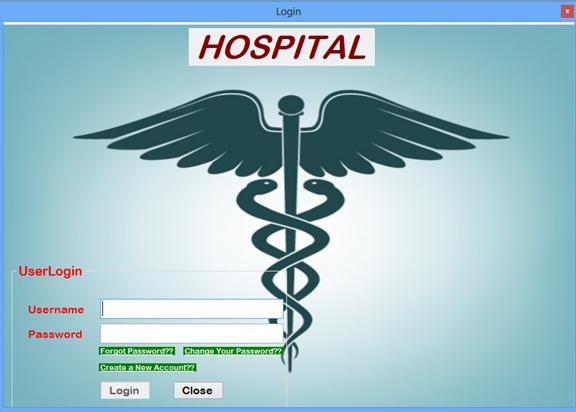

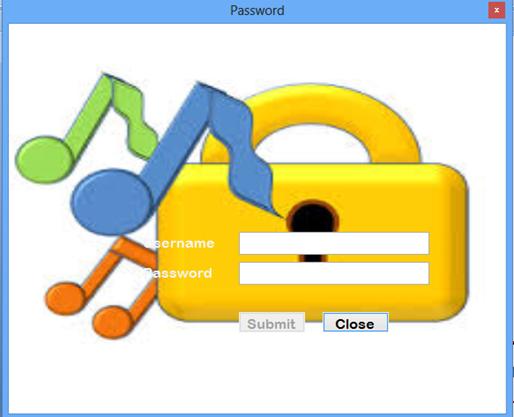
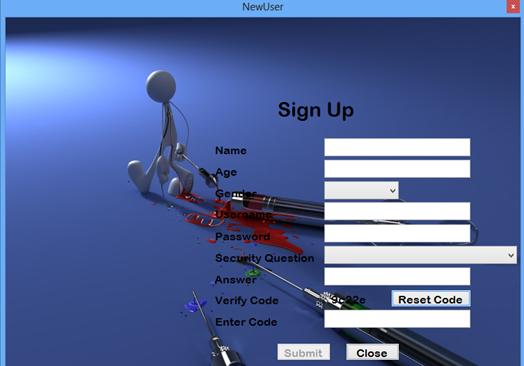
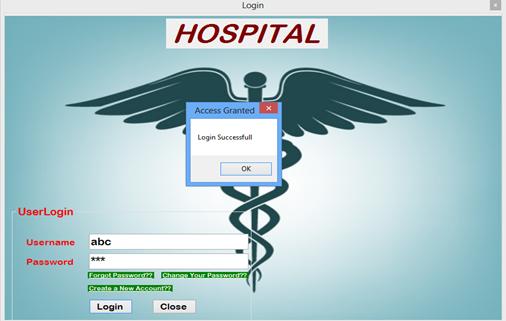

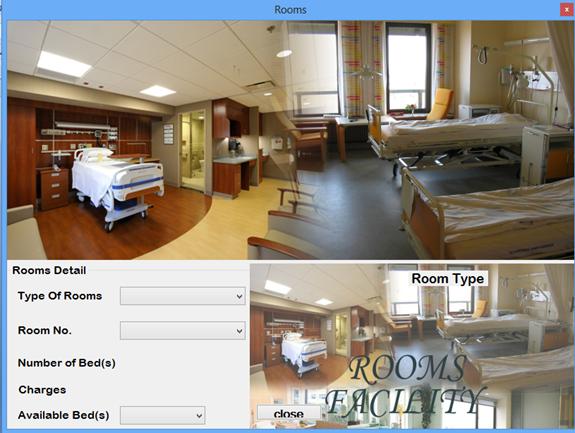
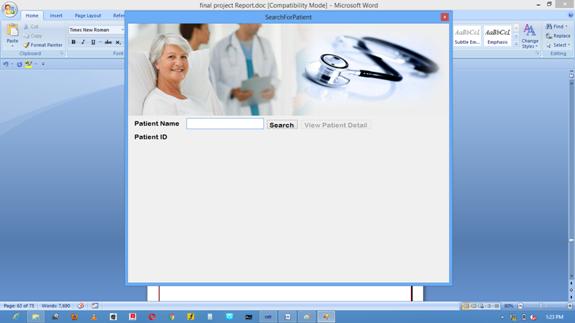
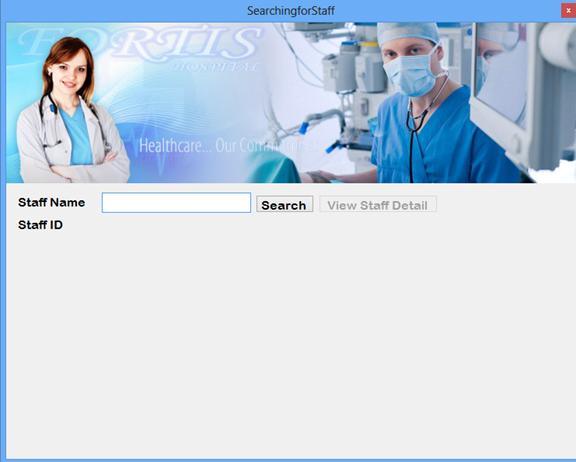
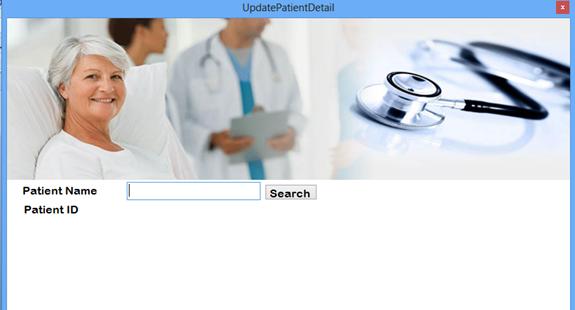


Test Plan
TESTING PHASE
The testing phase requires organizations to complete various tests to ensure the accuracy of programmed code, the inclusion of expected functionality, and the interoperability of applications and other network components. Thorough testing is critical to ensuring systems meet organizational and end-user requirements. If organizations use effective project management techniques, they will complete test plans while developing applications, prior to entering the testing phase. Weak project management techniques or demands to complete projects quickly may pressure organizations to develop test plans at the start of the testing phase. Test plans created during initial project phases enhance an organization’s ability to create detailed tests. The use of detailed test plans significantly increases the likelihood that testers will identify weaknesses before products are implemented.
Software Testing is done to:
• check that a program conforms to its specification
• uncover software defects
• ensure it functions correctly & does not produce unexpected results
• check robustness - how far can it be pushed before it fails badly
• understand the risks involved in software releases to customers.
The groups typically perform tests in stages, either from a top-down
or bottom-up approach. A bottom-up approach tests smaller
components first and progressively adds and tests additional
components and systems. A top-down approach first tests major components and connections and progressively tests smaller components and connections. The progression and definitions of completed tests vary between organizations. Bottom-up tests often begin with functional testing. Functional tests should ensure that expected functional, security, and internal control features are present and operating properly. Testers then complete integration and end-to-end testing to ensure application and system components interact properly. Users then conduct acceptance tests to ensure systems meet defined acceptance criteria. Testers often identify program defects or weaknesses during the testing process correcting problems quickly increases testing efficiencies by decreasing testers’ downtime. It also ensures a programmer does not waste time trying to debug a portion of a program without defects that is not working because another programmer has not debugged a defective linked routine Primary tests include:
In any endeavor, testing is always important before the actual implementation. SDLC is no different, in fact testing in SDLC is so important these days that developers have to work in testing longer that most stages in SDLC.
Types of Testing:
Testing by developers – Developers will have to test the software themselves extensively. Even though they are also the one who have developed the software, they still have to run it extensively. These are the usual steps developers follow in testing their software:
1. Checking of Syntax – The software is checked as it is. Developers just run software and look for possible errors. A very basic checking to know if there are major functions and errors that will occur.
2. Code inspection – After the execution, developers review their codes to look for possible bugs or errors in coding technique. Even though it has worked in initial checking, the language has to be checked extensively to predict possible problems in some executions.
3. Desk Checking – In this part of the testing, developers check the code and the software at the same time. Each line of command is tested if the desired output is met. This is done manually as each line is expected to work and one way of making sure it will work is to manually check each line so that developers will know what output the line has created.
4. Walkthrough – After checking the software themselves, its time to present the software to the experts. Not the upper management but possibly experts on the coding language or other developers of this type of software. The developer will present their work to the pool of professionals who will scrutinize their work. It is also important for the developer to present not only the coding technique but also
program itself. Using simple case studies the software will somehow provide answers faster or with a better result.
5. Module Testing – After the walk through, developers will again check the software in terms of individual modules. Each module will be tested extensively for possible errors.
6. Integration Testing – Once the module has been tested, it is time to test them as being integrated to other modules.
7. System Testing – After the integration, the whole program will again be tested. Case studies will again be applied with integrated software.
Testing by Users - Once the developers have finished their own testing with the help of other professional developers, the software is ready for release to the public or to the intended users.
The stages usually followed are
Alpha Testing – Developers usually choose the users who will try out the program. For the general public, it is often tested on known users or even technology bloggers who can honestly give their opinion of the software. It is also the time where developers try to create scenarios for their software such as:
* Recovery – Developers will try recovering the software or the program in case it crashes.
* Security – Like all software, developers have to test the program for possible hacks and virus infections.
* Performance – Use it extensively by getting more than one users to exhaust all possible options and see if the software will hold up to expectations.
Beta Testing – This type of testing is more open to the public. Developers or software companies can accept users sometimes by invitation or openly accepting users. Beta testing will no longer be limited to the data set by developers; instead it will now be tested in a real environment where there is a bigger possibility of hacks, lack of performance or bugs. The main reason the software is given to the public for testing is to open it for possible hacks. If something wrong is found, developers can just go back to the software easily.
IMPLEMENTATION PHASE
The implementation phase involves installing approved applications into production environments. Primary tasks include announcing the implementation schedule, training end users, and installing the product. Additionally, organizations should input and verify data, configure and test system and security parameters, and conduct post-implementation reviews. Management should circulate implementation schedules to all affected parties and should notify users of any implementation responsibilities. After organizations install a product, pre-existing data is manually input or electronically transferred to a new system. Verifying the accuracy of the input data and security configurations is a critical part of the implementation process. Organizations often run a new system in parallel with an old system until they verify the accuracy and reliability of the new system.

|
Из за большого объема этот материал размещен на нескольких страницах:
1 2 3 4 5 6 |
